
Marketing
Coming soonNewsletter Add-on
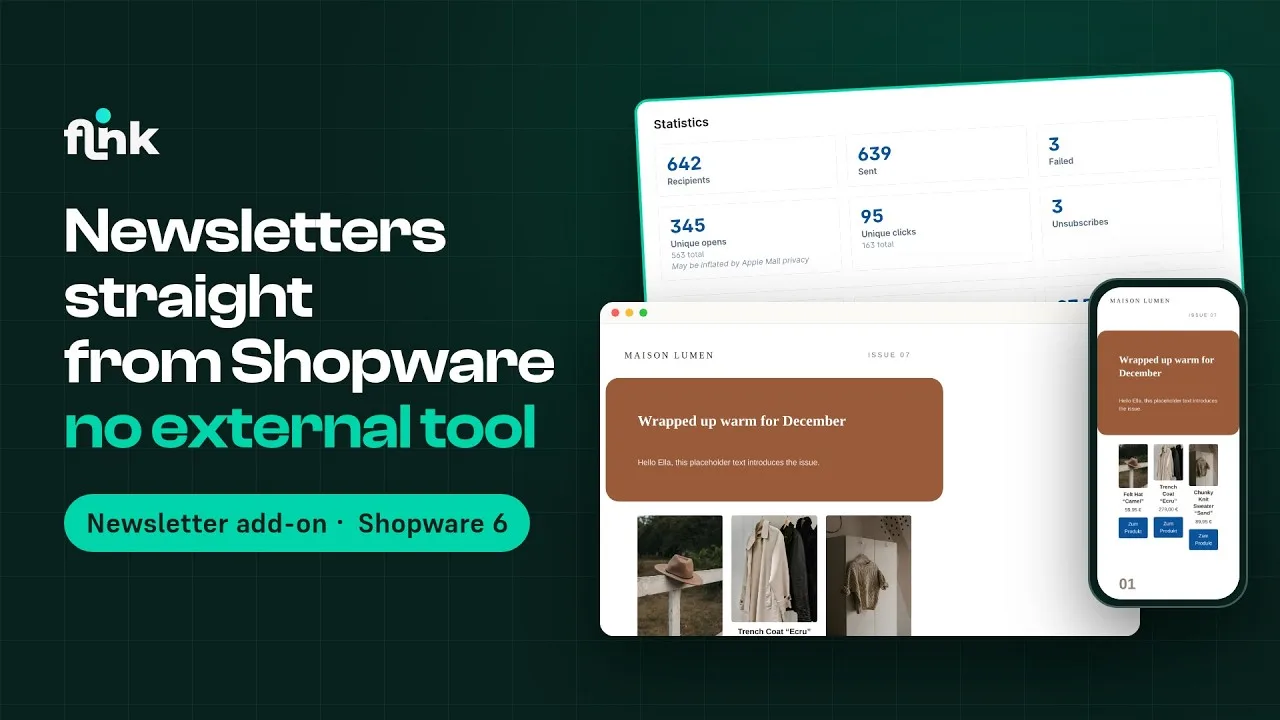
Send newsletters right from Shopware – designed in the Email Template Builder, no external tool needed
Video
How Newsletter Add-on works
Playing the video loads it from YouTube and transfers data to YouTube. Privacy policy
Highlights
What Newsletter Add-on can do
- Newsletters right in the Shopware Administration under Marketing › Newsletter
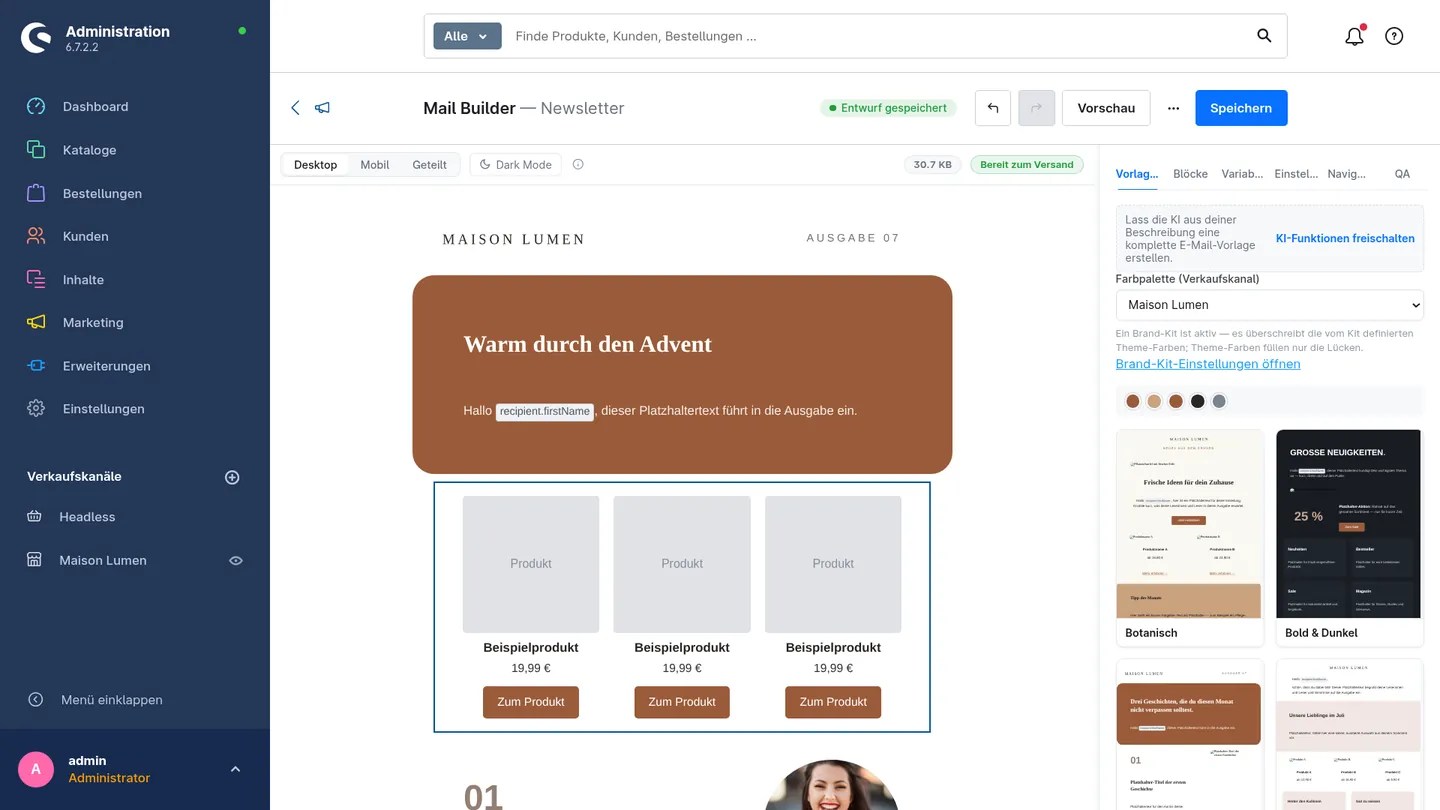
- Designed in the Email Template Builder – with six newsletter templates in your branding
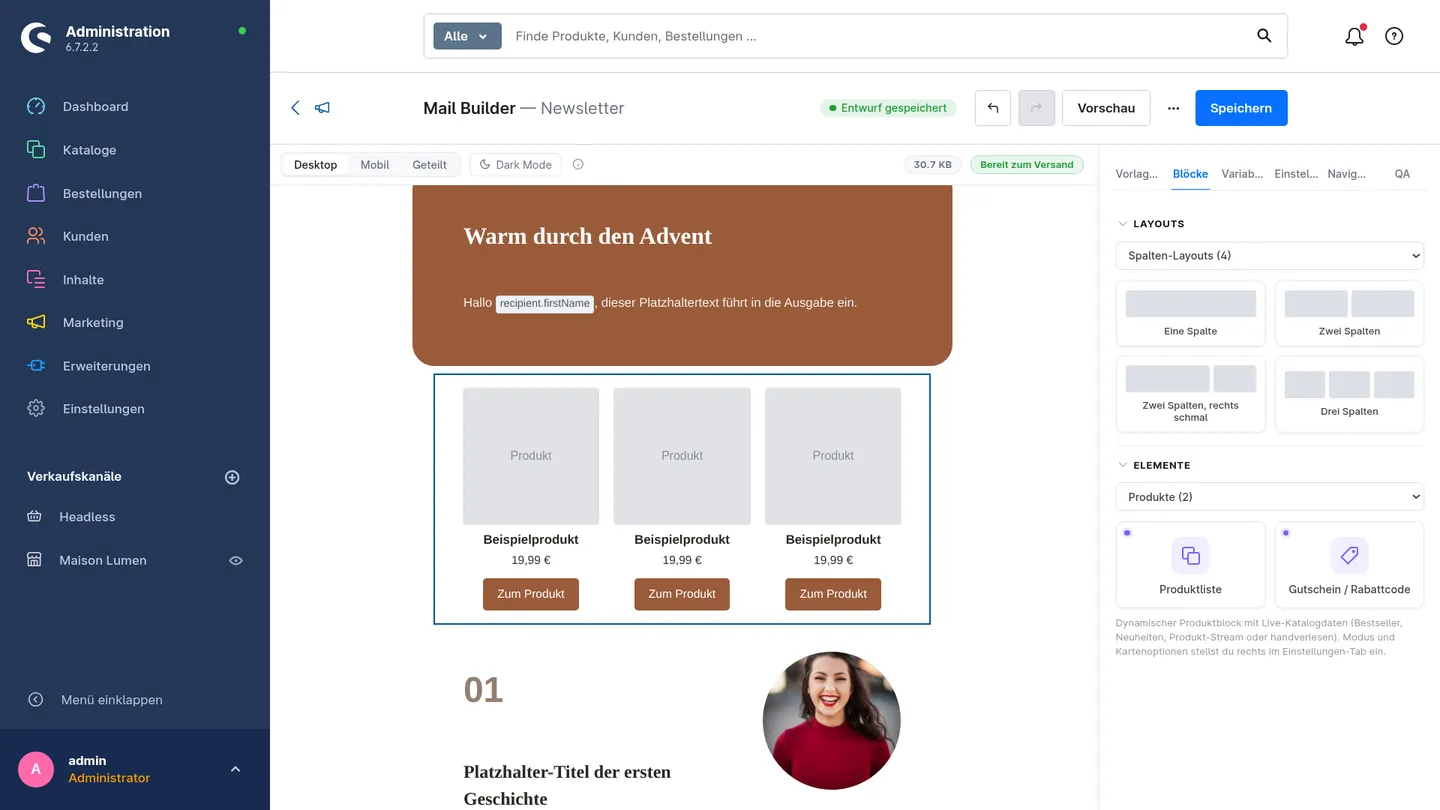
- Insert products with drag & drop, with real images and prices in the preview
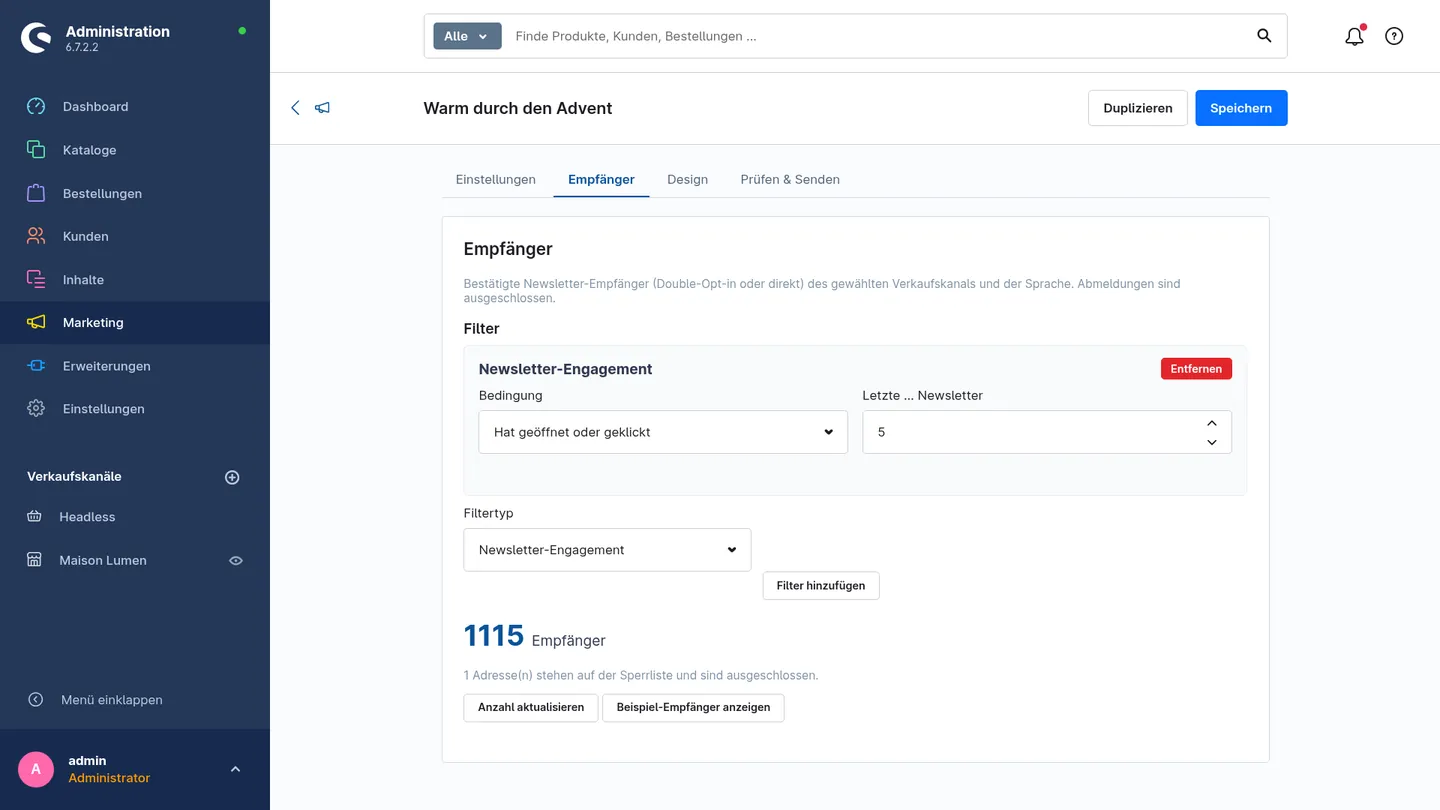
- See and filter your audience live, e.g. everyone who recently opened or clicked
- Checklist and test mail before sending, send right away or schedule a date
- Opens, clicks, unsubscribes and revenue per newsletter – plus A/B tests
- Privacy-friendly: tracking can be switched off per sales channel, one-click unsubscribe
Features
Why Newsletter Add-on?
Templates in your look
Six newsletter templates with the logo and brand colors from your brand kit – pick one, adjust it, done.
The right audience
Count confirmed subscribers live and narrow them down by sales channel, language and engagement.
Send with confidence
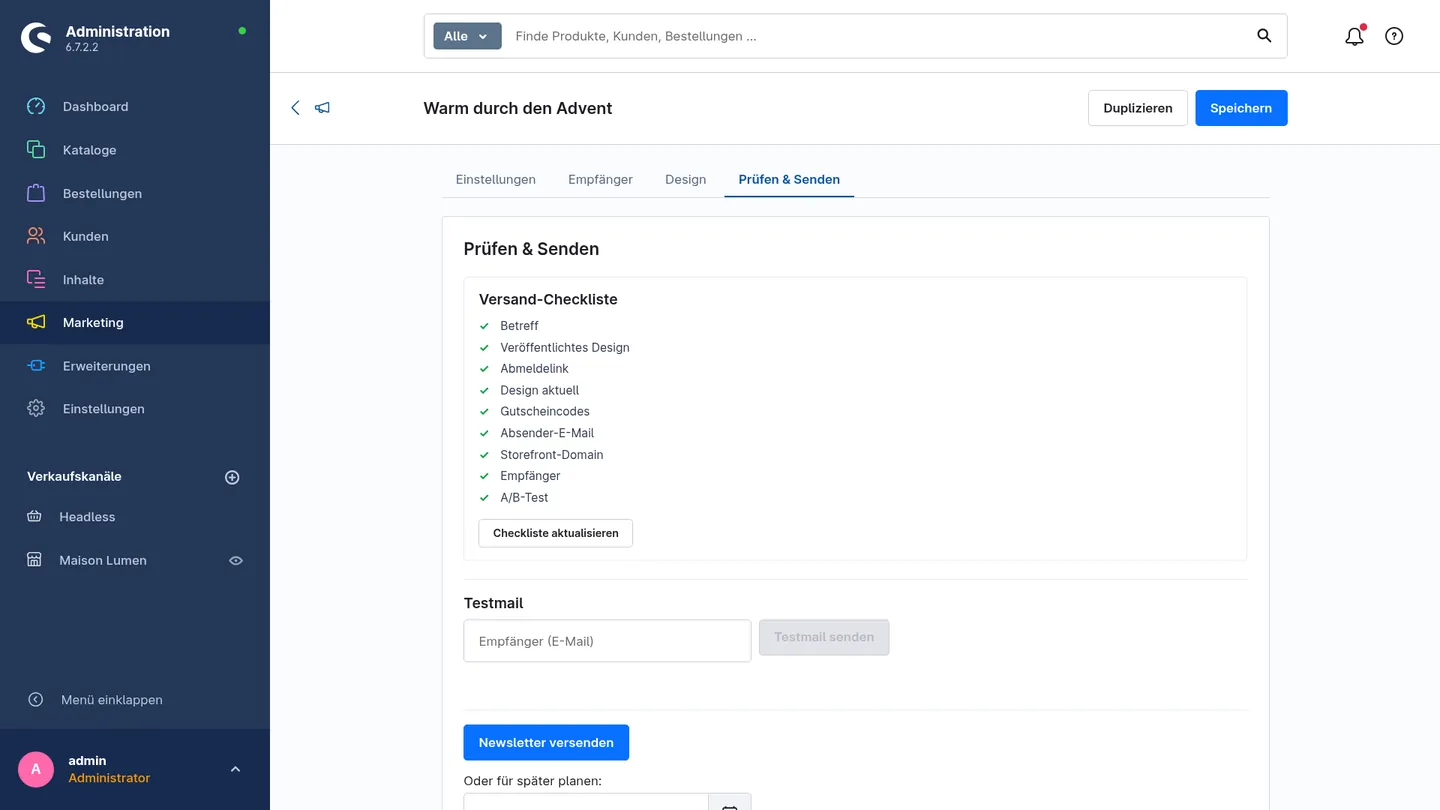
Before sending, a checklist checks design, unsubscribe link and content. Send yourself a test mail, then send right away or schedule it.
Measure success
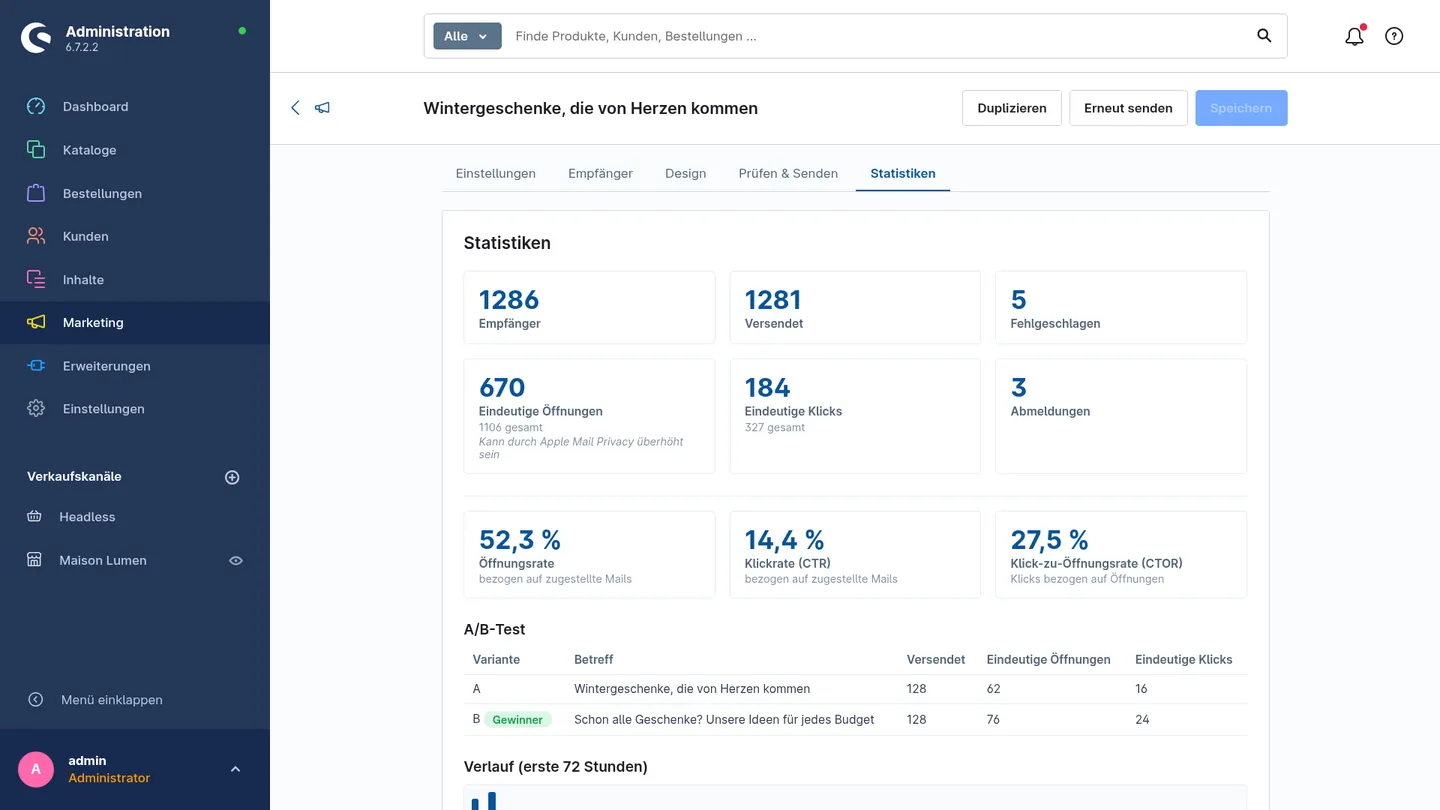
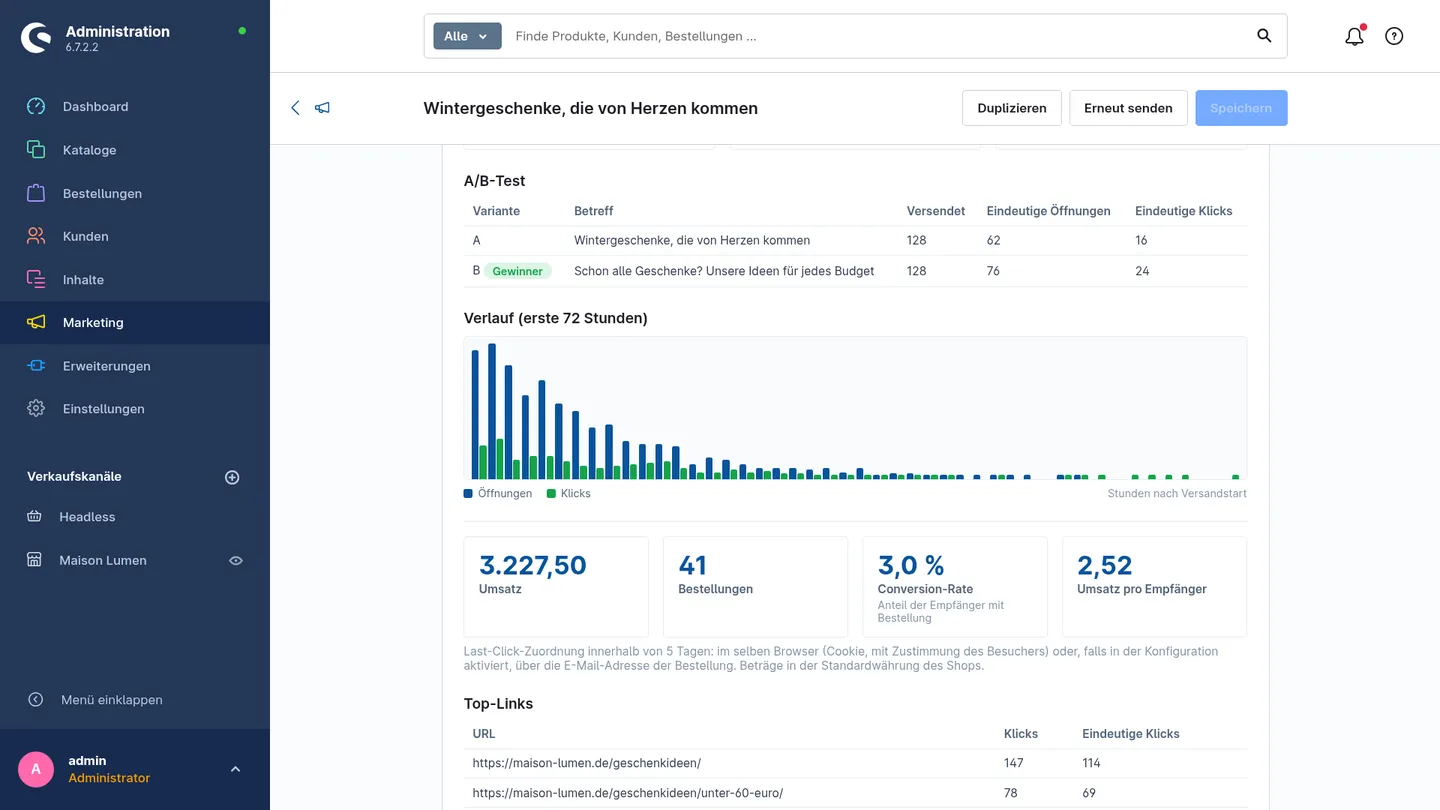
Opens, clicks, unsubscribes and the revenue your newsletter brought in – including an A/B test with a winner.
Insights
A first look
Description
With the Newsletter Add-on, you send newsletters right from Shopware – no external tool needed. The add-on extends the Email Template Builder with campaigns to your subscribers.
How it works
Set the subject and preheader and choose the sales channel, domain and language. You design in the Email Template Builder: start with one of six newsletter templates that already include your shop’s logo and brand colors. Just drag products from your shop into it – the preview shows them with real images and prices.
You see live how many confirmed subscribers you’ll reach and narrow them down with filters – for example to everyone who recently opened or clicked. Before sending, a checklist checks everything important. Send yourself a test mail, then send right away or schedule a date.
Statistics all the way to revenue
Afterwards, you see opens, clicks and unsubscribes – and even the revenue your newsletter brought in. With A/B tests, you find out which variant works better.
Privacy
Open and click tracking can be switched off per sales channel, and IP addresses or user agents aren’t stored. Order attribution uses a cookie that’s only set after consent in the cookie banner. Every newsletter includes a one-click unsubscribe link and a List-Unsubscribe header.
The Newsletter Add-on requires the Email Template Builder (version 1.3.2 or later) and Shopware 6.7.3 or newer, and is coming soon to the Shopware Store.
Try it now, before the release
You don’t have to wait for the release: Write to us, and we’ll give you early access to the add-on. Until it’s released in the store, you can use it for free – after that, your shop automatically reminds you to license it through the store. It requires the Email Template Builder, which is already available to rent in the Shopware Store. Learn more in our article Newsletter marketing with Shopware 6.
Newsletter Add-on – coming soon to the Shopware Store
We are putting on the finishing touches. Drop us a line – we will let you know as soon as the plugin is available in the store.