
Marketing
NewEmail Template Builder
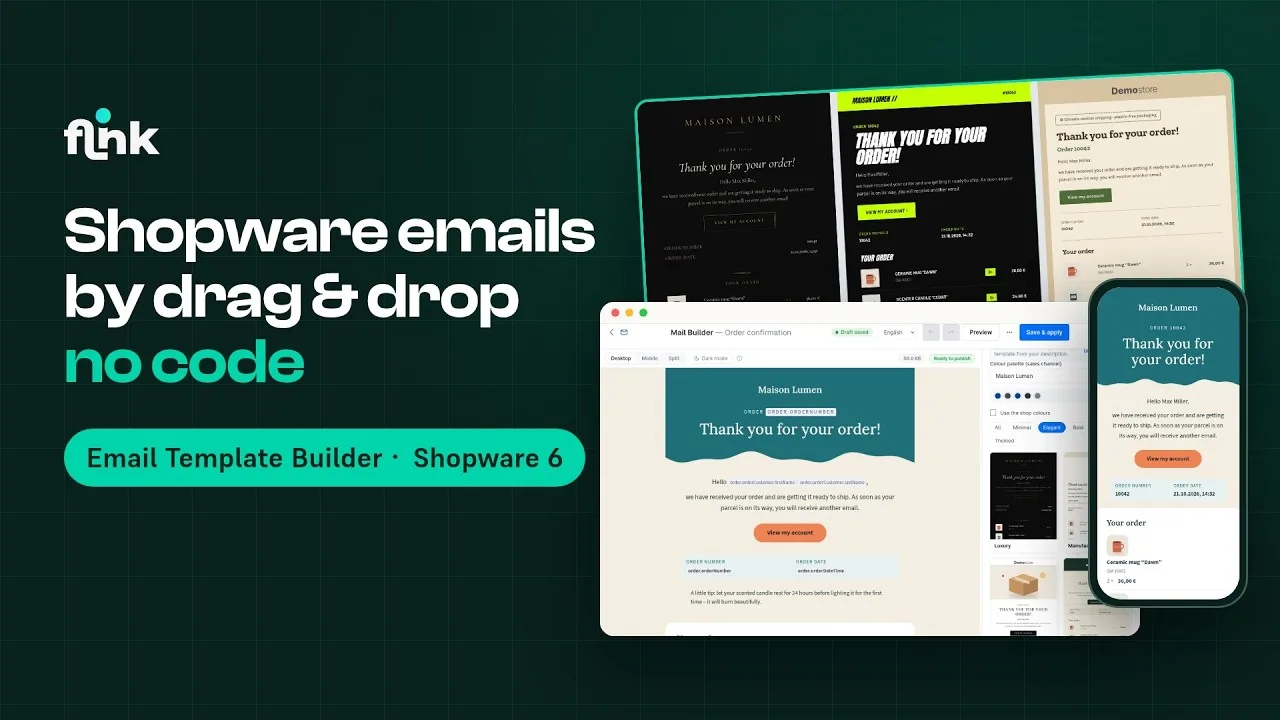
Design Shopware transactional emails with drag & drop – no Twig or HTML needed
Video
How Email Template Builder works
Playing the video loads it from YouTube and transfers data to YouTube. Privacy policy
Highlights
What Email Template Builder can do
- Visual drag-and-drop editor for all Shopware email templates
- Live preview for desktop, mobile and dark mode
- 25 ready-made templates in your shop's logo and colors
- Dynamic order blocks and live product blocks
- Brand kit, block library and version history
- Send QA and test mails before going live
Features
Why Email Template Builder?
Drag & drop instead of Twig
Drag text, button, image, column and other blocks onto the canvas and edit content inline – without a single line of code.
Dynamic blocks
Line items table, totals, addresses, payment and shipping method, plus live product blocks with bestsellers, new arrivals or dynamic product groups.
Brand kit & templates
Set up your logo, colors, fonts and buttons once – and start from 25 ready-made designs in five styles.
Send with confidence
Send QA checks accessibility, contrast, alt texts, preheader and Gmail clipping; test mails use realistic sample data.
Description
The Email Template Builder turns Shopware’s transactional emails into a visual drag-and-drop experience. Design your order confirmation, shipping confirmation, registration, password reset and every other email template right in the Administration – no Twig or HTML needed.
The live preview updates as you work; you switch between desktop, mobile, a simulated dark mode view and the split view. A central brand kit, a reusable block library and a version history keep all your emails consistent and let you roll back at any time.
Every design is based on MJML – so your emails render reliably and responsively in Outlook, Gmail, Apple Mail and other clients. Multilingual shops get a separate design per language. An optional AI assistant (in-app purchase) adds rewriting, subject lines, alt texts and translations to the editor. The plugin requires Shopware 6.7.
Live-Demo
Try Email Template Builder yourself
The plugin is installed and set up in our demo shop – no installation of your own needed.
Administration
Explore the settings in the admin
See how you set up the plugin in the Shopware admin.
- User
- demo
- Password
- demo1234
Email Template Builder from €8.25/month
Install it straight from the Shopware Community Store and use it in your shop right away.