
Shopping experience
Coming soonShop Quest
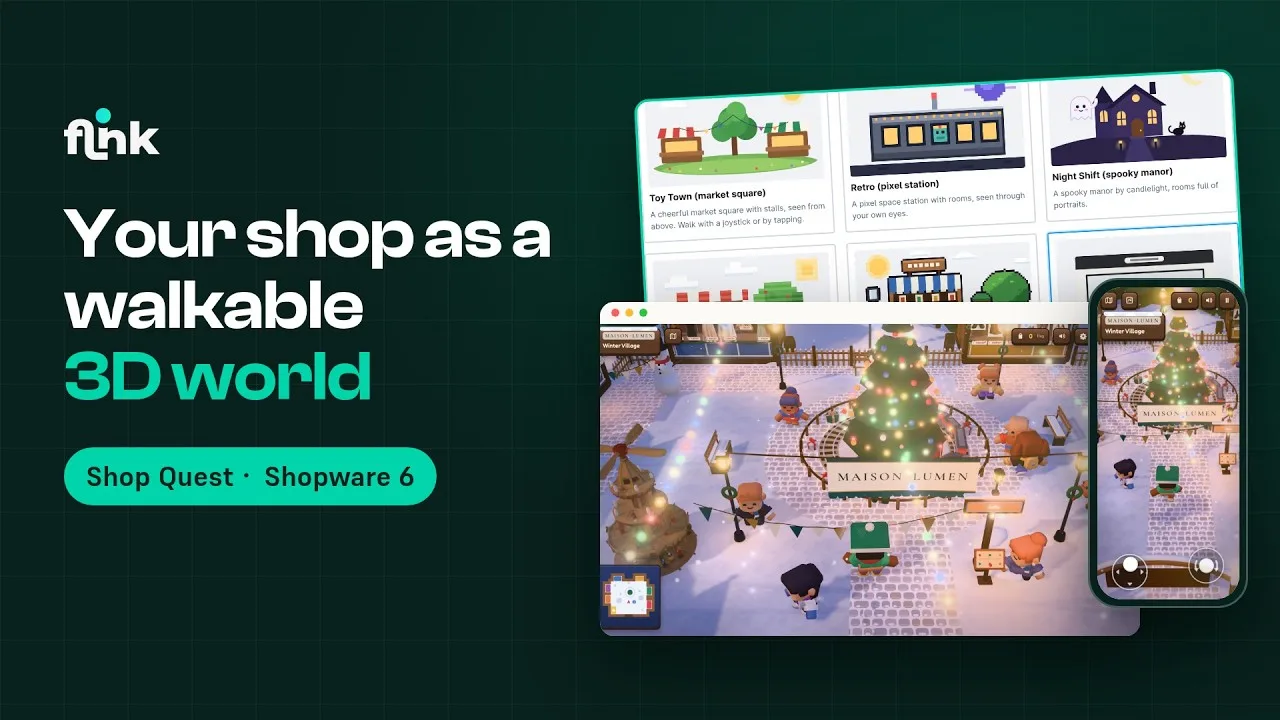
Your shop as a walkable game world – customers browse, complete quests and pay in the regular Shopware checkout
Video
How Shop Quest works
Playing the video loads it from YouTube and transfers data to YouTube. Privacy policy
Highlights
What Shop Quest can do
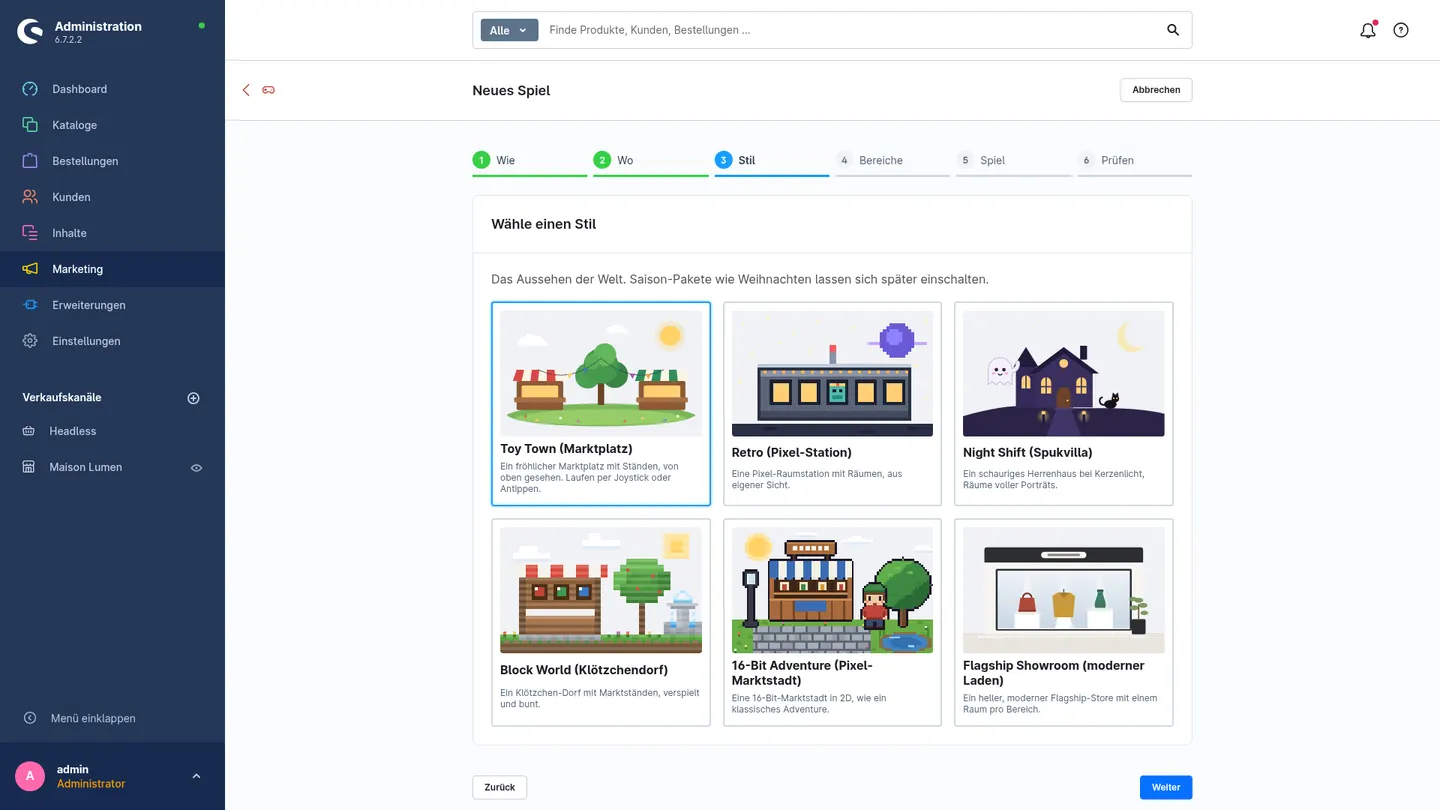
- Six styles: market square, pixel space station, haunted manor, block village, 16-bit market town and flagship showroom
- A real cart: the bag in the game is the Shopware cart, and payment happens in the regular checkout
- Set up in minutes: wizard under Marketing → Shop Quest, and the world is playable right away
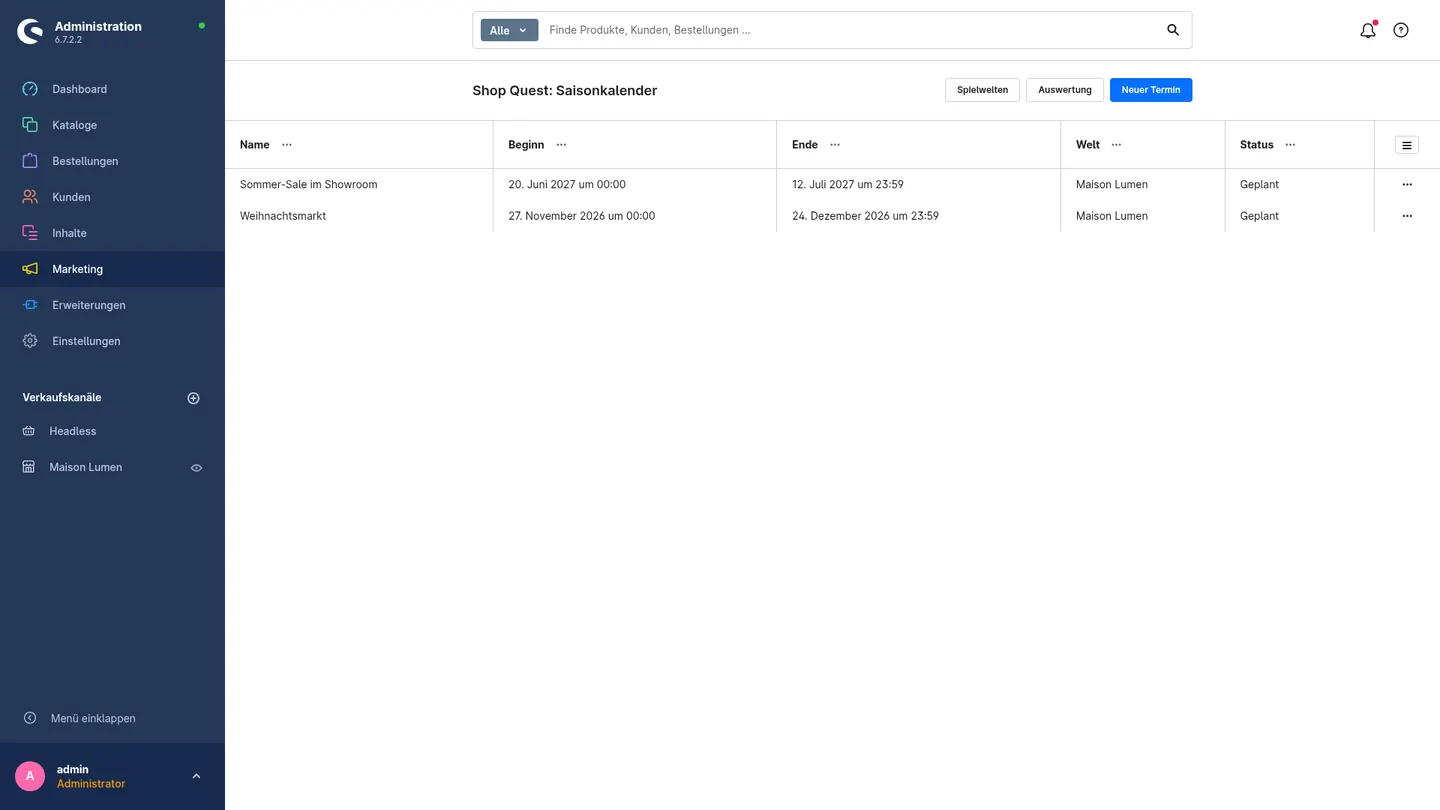
- Christmas seasonal pack for all styles plus season calendar included
- Logo, brand colors and category images appear in the world automatically
- Quests and treasure hunt – optionally with coupon codes as rewards
- Playable with keyboard, mouse, touch joysticks or gamepad; simple list view for older devices
- Analytics per game and area – including orders and revenue from the game world
Features
Why Shop Quest?
Categories become worlds
Up to eight areas from categories, dynamic product groups, rules like top sellers or sale – or hand-picked products.
Six styles, one click
From a cheerful market square and a pixel space station to a bright showroom. Your branding automatically moves onto banners, signs and pennants.
Quests & treasure hunt
Up to five small quests and 3 to 8 hidden items per world. If you like, there's a coupon code from your promotions as a reward.
Measurable success
Game starts, area visits, product views, cart actions and revenue from the game world – with a daily timeline and an area heatmap.
Insights
A first look
Description
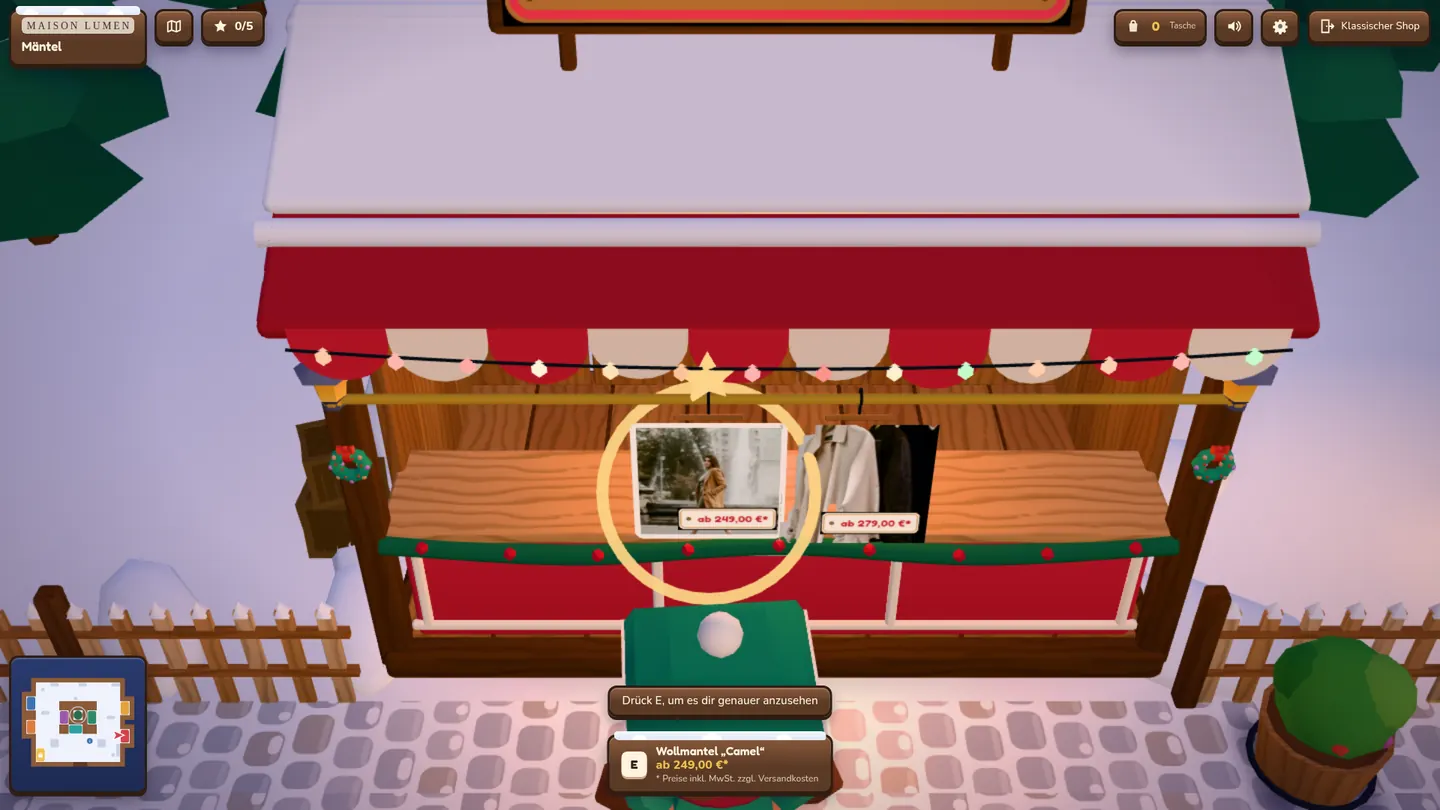
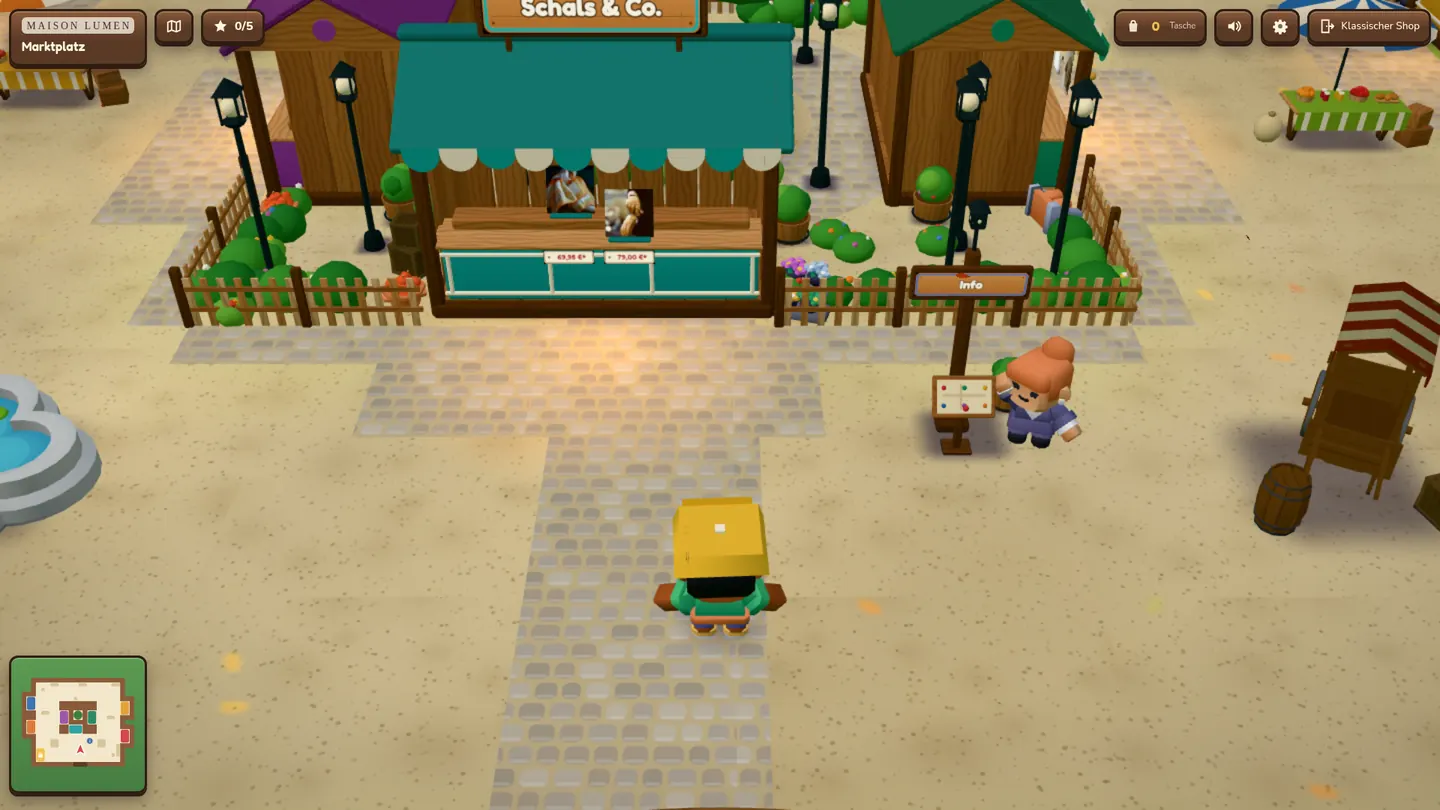
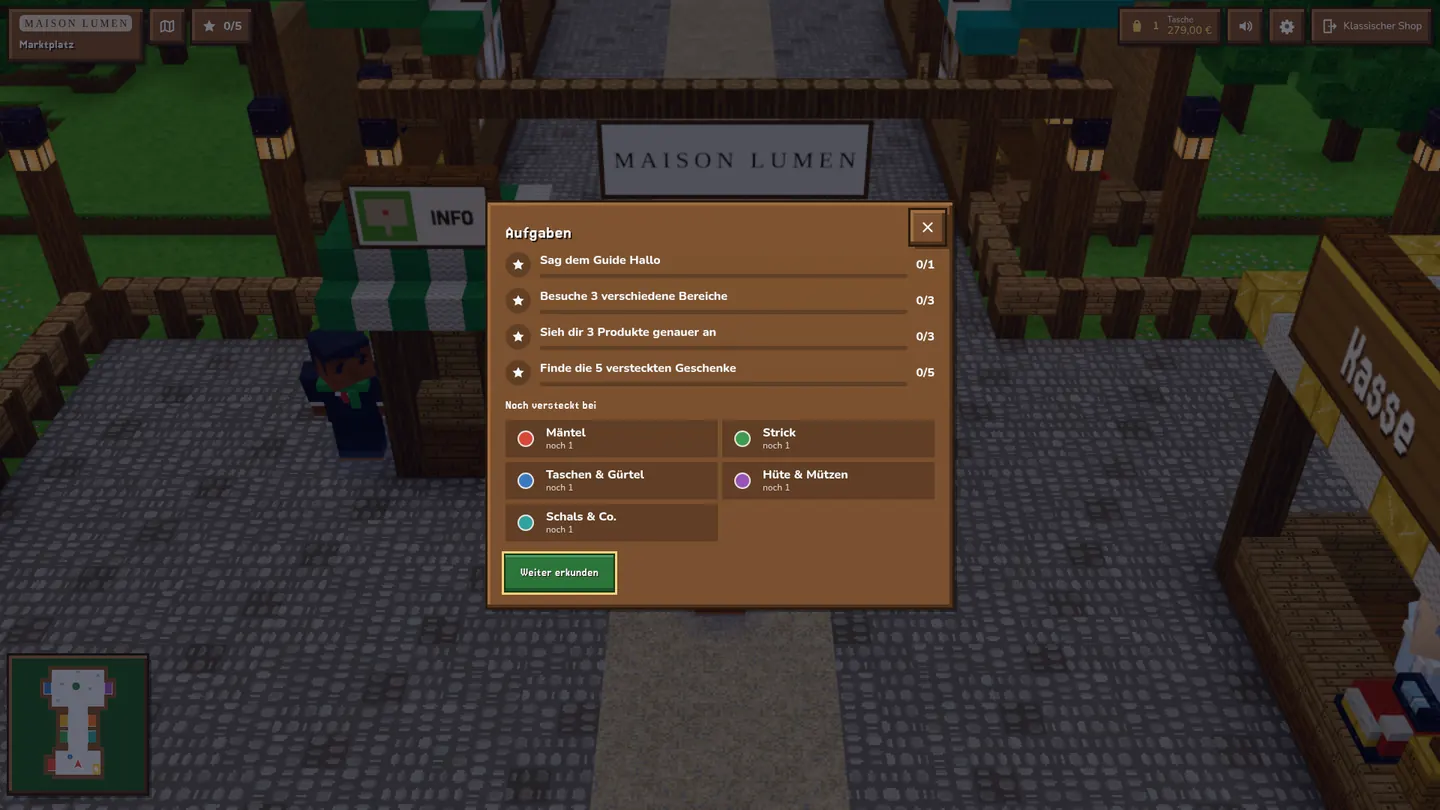
Shop Quest turns your Shopware shop into a small game world in the browser. Your categories become market stalls or rooms, and your products are on display with image and price – on clothing racks, tables or pedestals, depending on the type of product. Customers walk around with keyboard, mouse, touch, joystick or gamepad, look at products and put them in the bag. They pay at the checkout – through your completely normal Shopware checkout.
Your classic shop stays fully intact. The game world is an additional, optional experience at /play – all year round or just for campaigns and seasons.
Six styles
- Toy Town: a cheerful market square with stalls, seen from above.
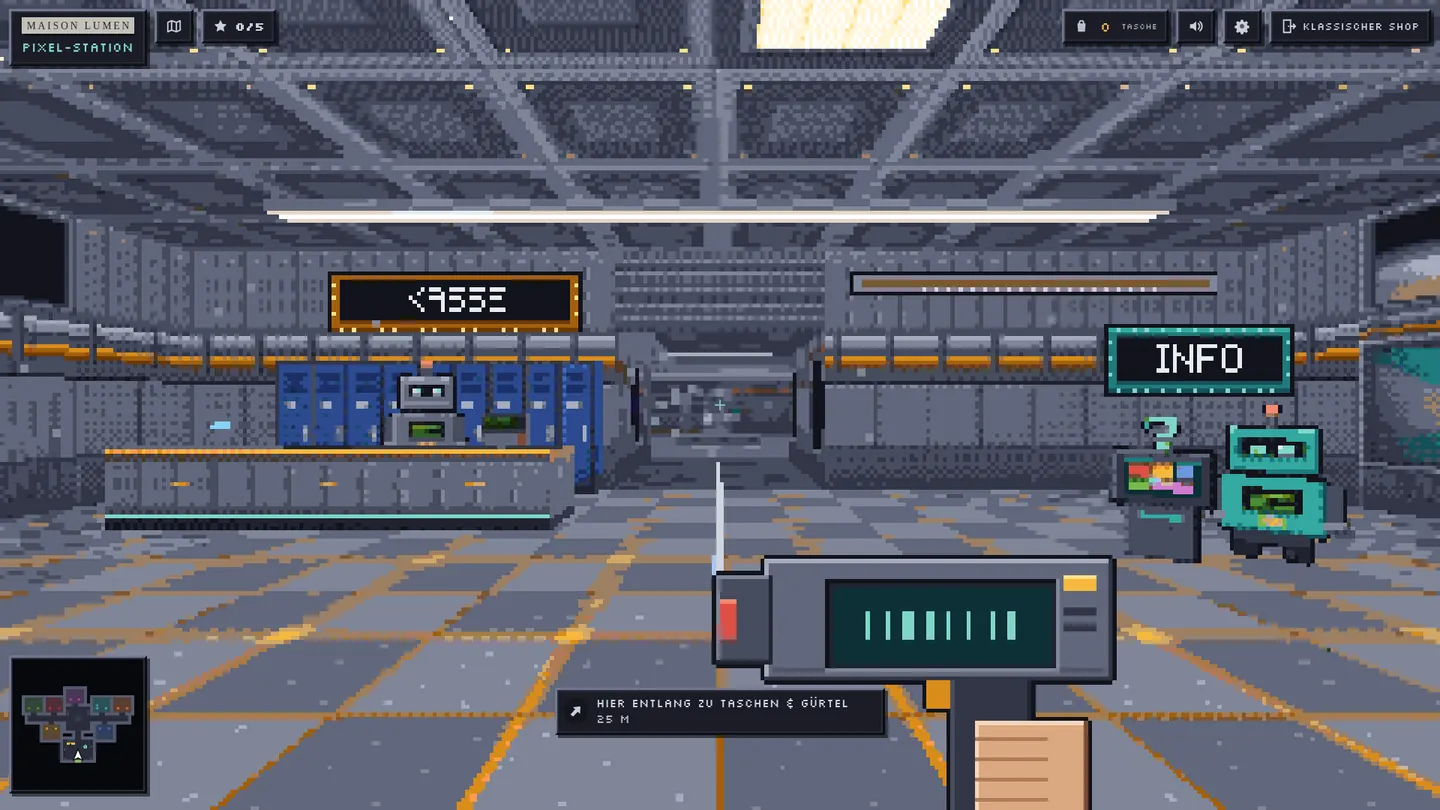
- Retro: a pixel space station with rooms, in first-person view.
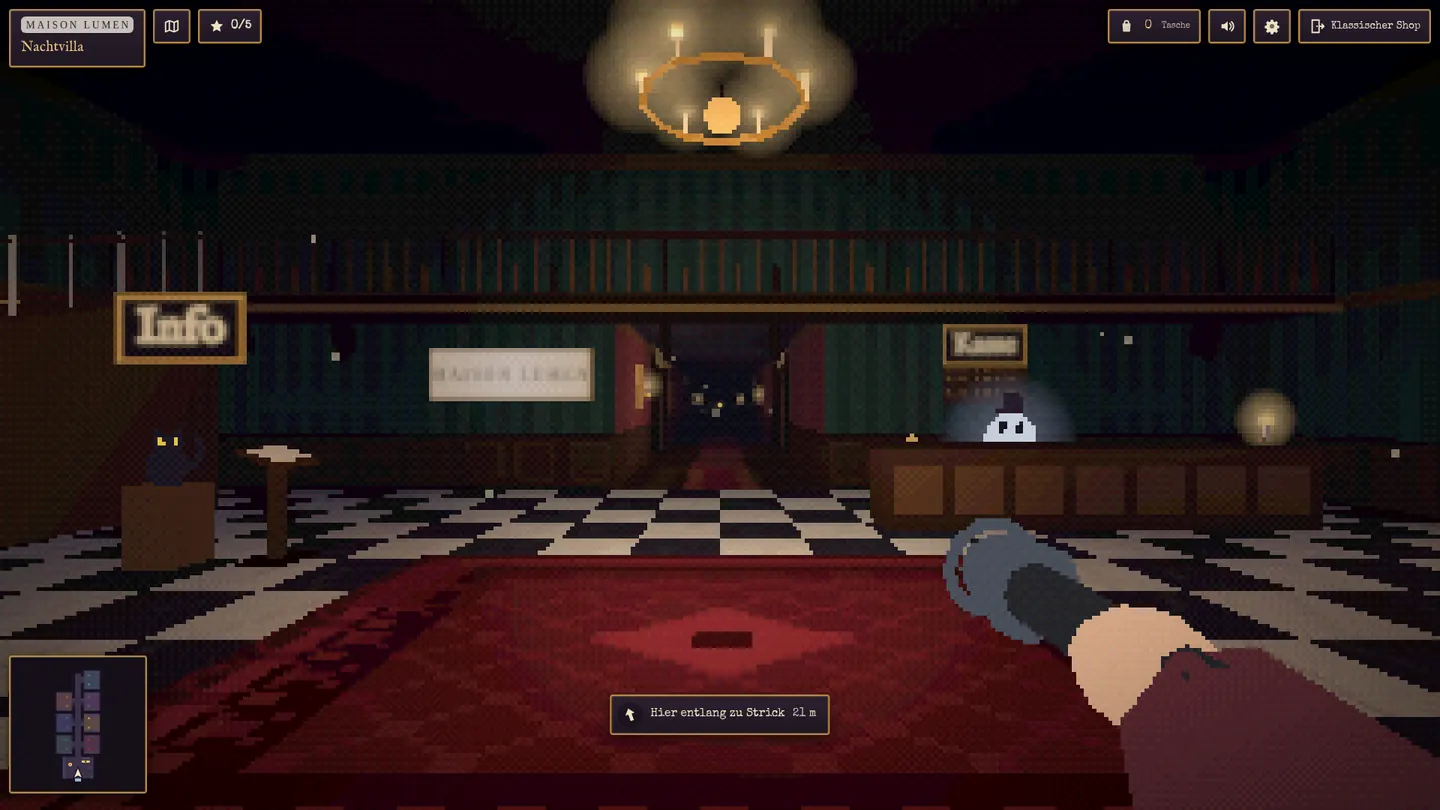
- Night Shift: a haunted manor by candlelight, with portraits, a fireplace and a friendly ghost.
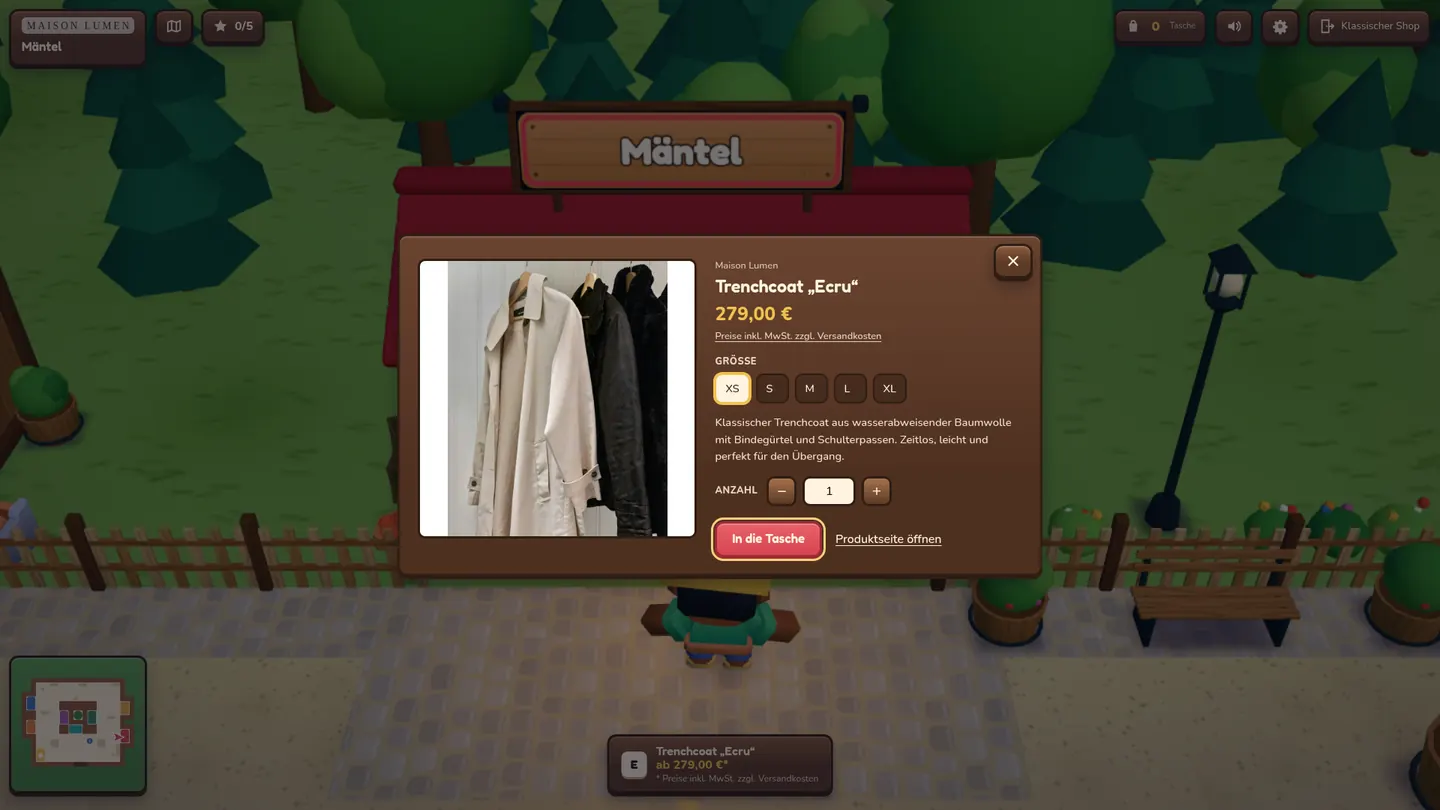
- Block World: a block village with market stalls, playful and bright.
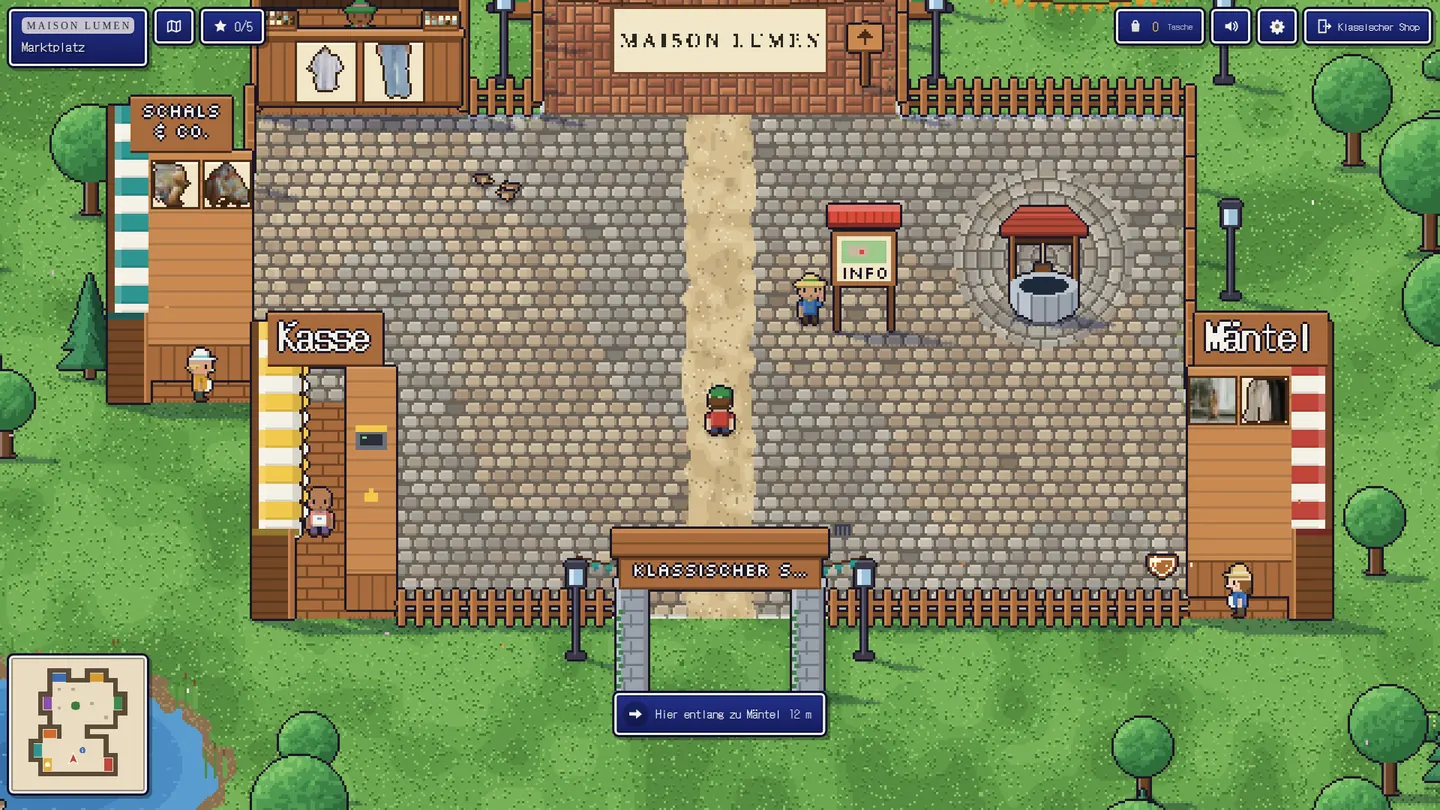
- 16-Bit Adventure: a pixel market town in 2D, like a classic adventure game.
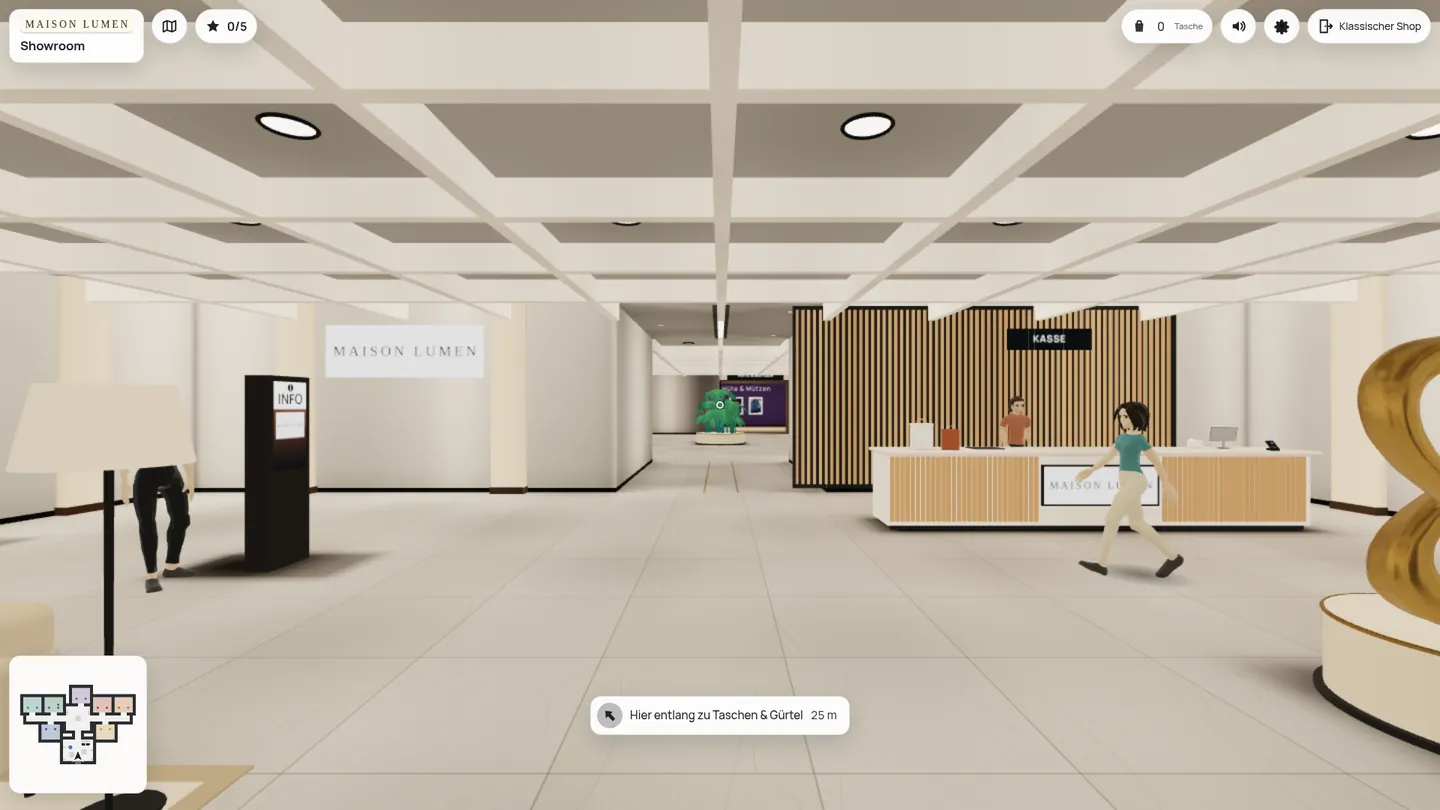
- Flagship Showroom: a bright, modern flagship store with one room per area.
Your shop’s logo, brand colors and category images appear in the world automatically: on banners, signs and pennants.
Christmas seasonal pack and season calendar
The Christmas seasonal pack is included and gives every style a festive look: a Christmas market in the snow, a decorated space station, Christmas Eve in the haunted manor, a festive showroom. In the Season calendar, you set periods – for example from Advent to Christmas Eve – and decide which game, which style and which entry points apply during that time.
Set up in a few minutes
Everything is in one place: Marketing → Shop Quest. The New game wizard guides you through six steps, and then the world is playable right away. In the editor, you choose the products for each area, and in the Level Studio you rearrange stalls, rooms and decor with drag and drop. Every publication is saved as a version, and preview links help you test before going live.
Quests, treasure hunt and coupons
Up to five small quests per world and a treasure hunt with hidden items that match the style. As a reward, customers can get a coupon code from your Shopware promotions – optional and off by default. No quest requires a purchase.
Optional: AI Architect
As an in-app purchase, the AI Architect suggests three concepts based on your idea, builds the chosen world from your catalog and translates the texts. You review and publish the draft yourself. Only catalog data is sent, no customer data.
Shop Quest is coming soon to the Shopware Store and requires Shopware 6.7.
Live-Demo
Try Shop Quest yourself
The plugin is installed and set up in our demo shop – no installation of your own needed.
Storefront
See it in the shop
Start in Toy Town or jump straight into one of the other five styles – all with the same demo products.
Administration
Explore the settings in the admin
See how you set up the plugin in the Shopware admin.
- User
- demo
- Password
- demo1234
Shop Quest – coming soon to the Shopware Store
We are putting on the finishing touches. Drop us a line – we will let you know as soon as the plugin is available in the store.