
Theme
Coming soonFASHION ONE
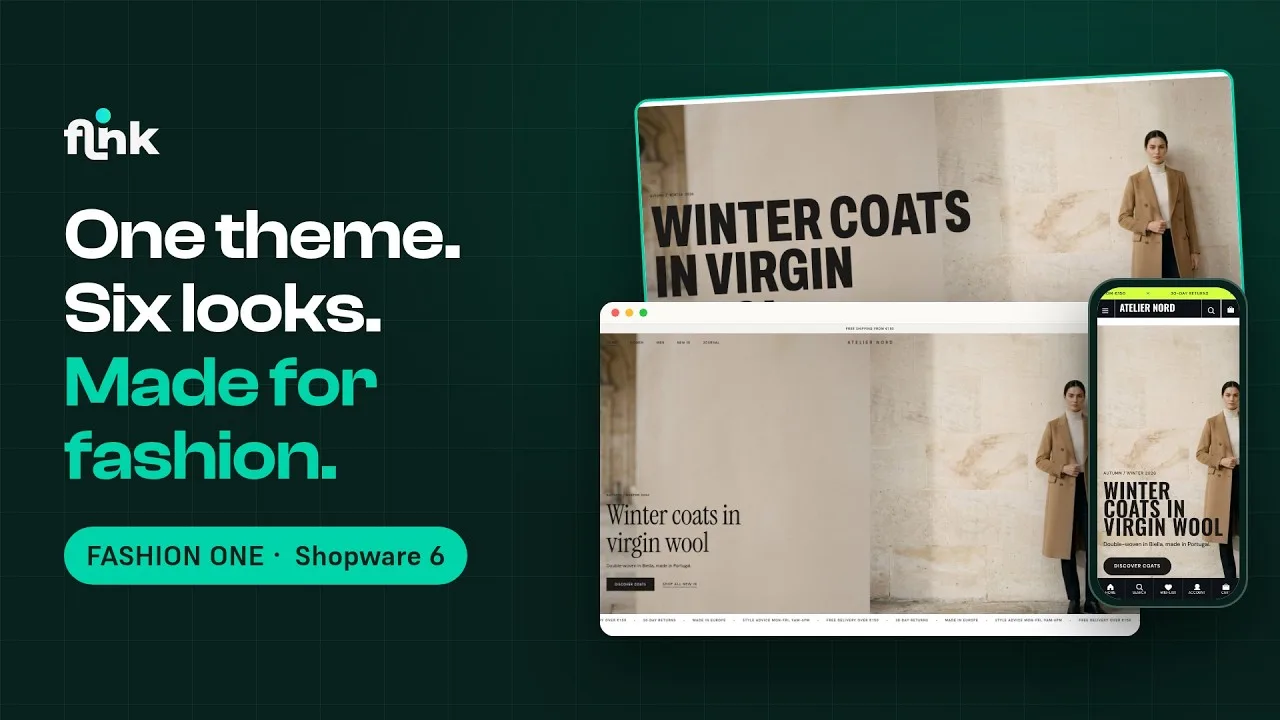
The theme for fashion and apparel shops on Shopware 6.7 – two design styles, six style presets and every feature a fashion shop needs
Video
How FASHION ONE works
Playing the video loads it from YouTube and transfers data to YouTube. Privacy policy
Highlights
What FASHION ONE can do
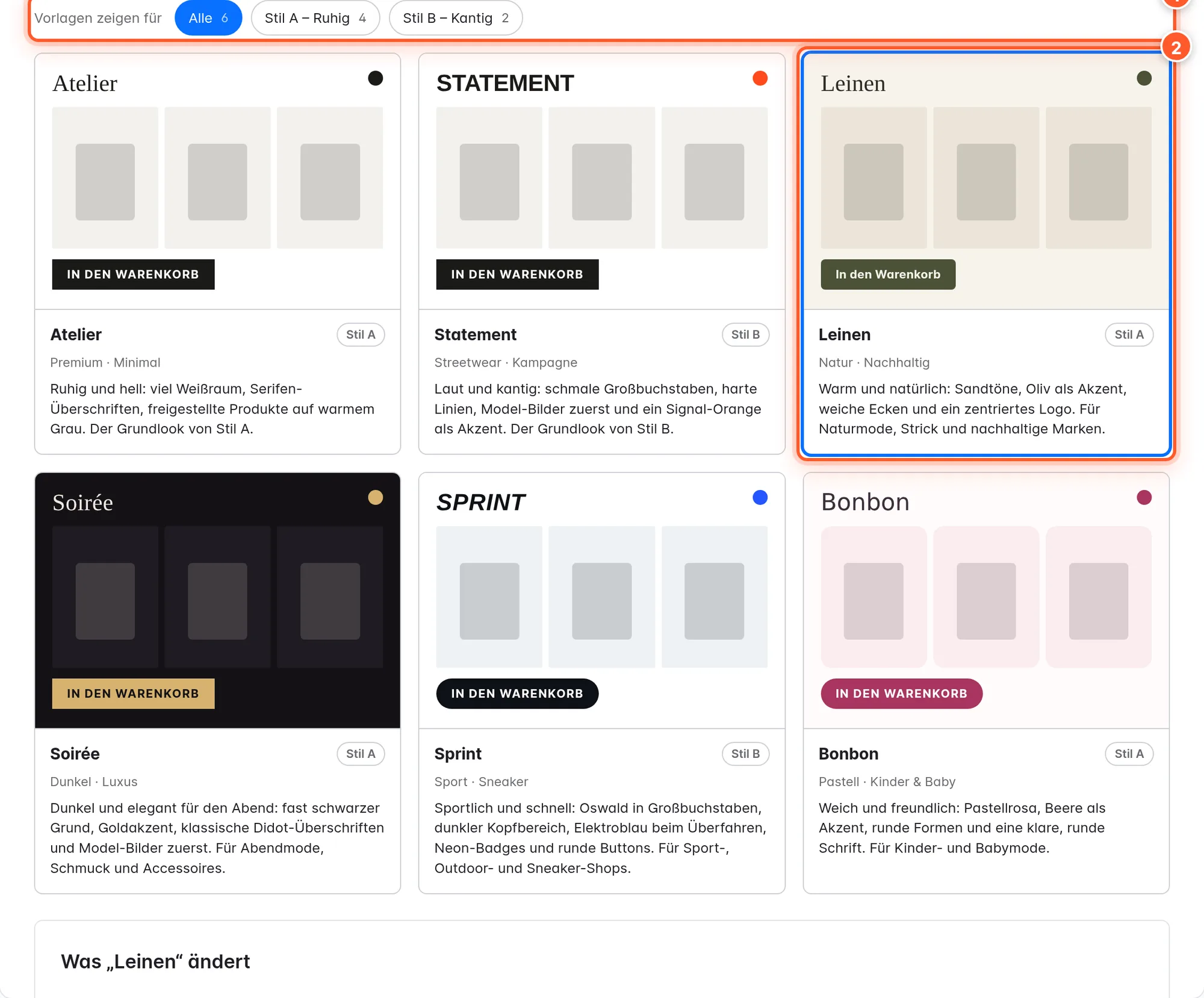
- Two design styles – calm with serifs or bold with condensed capitals – and six style presets from Atelier to Bonbon
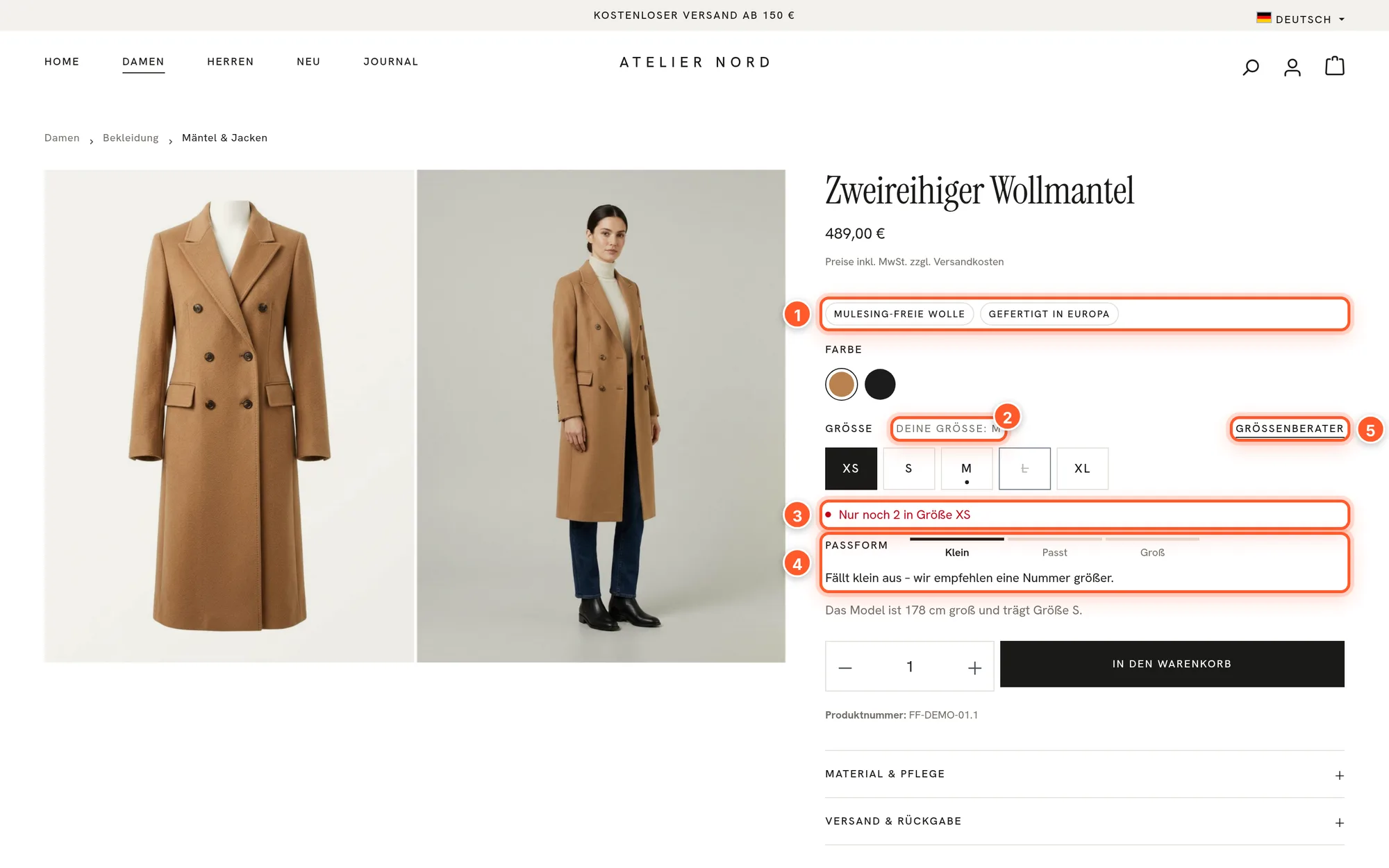
- Remembered size, fit scale and model note right below the size selection
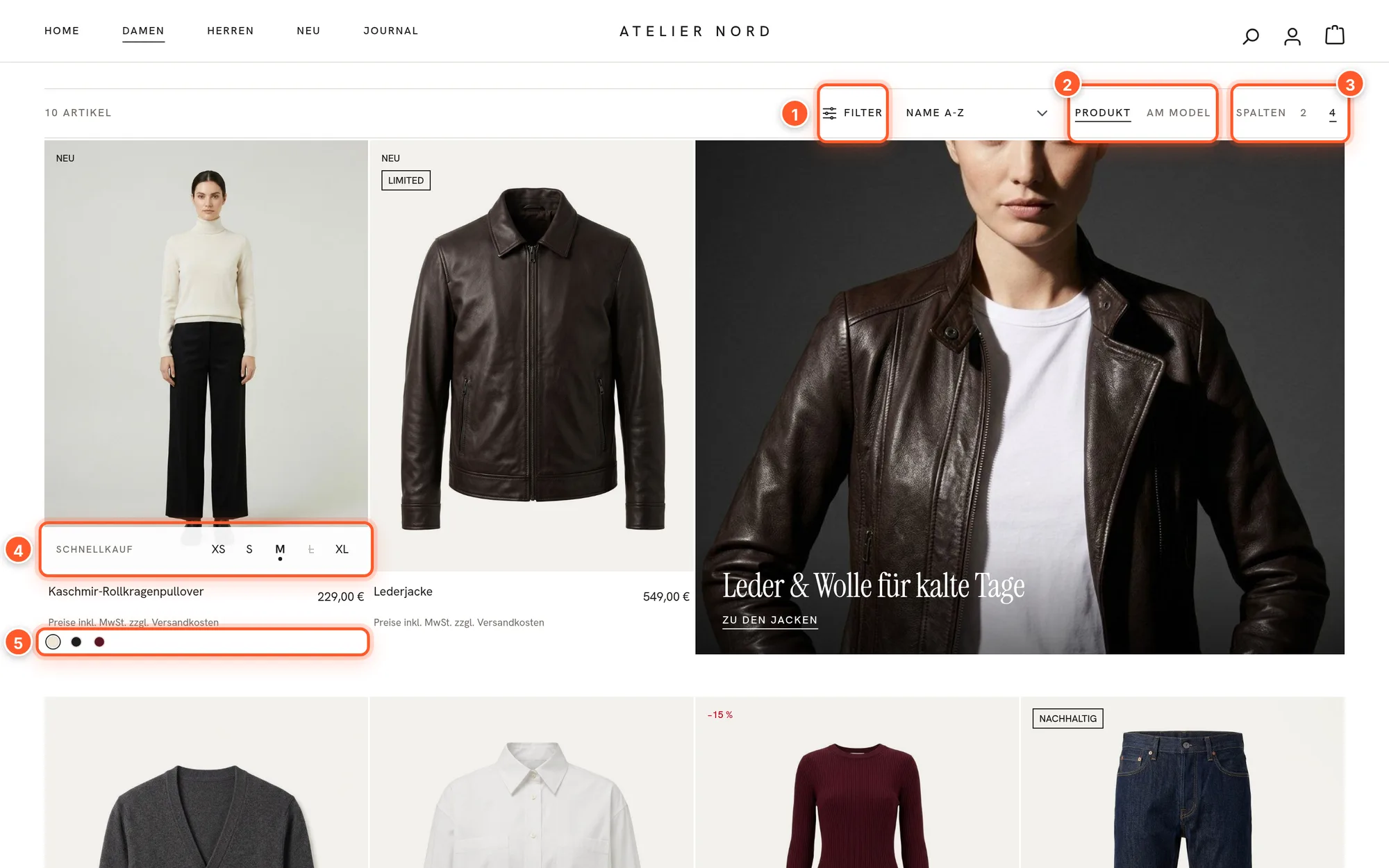
- Quick buy with sizes and color dots right in the product card
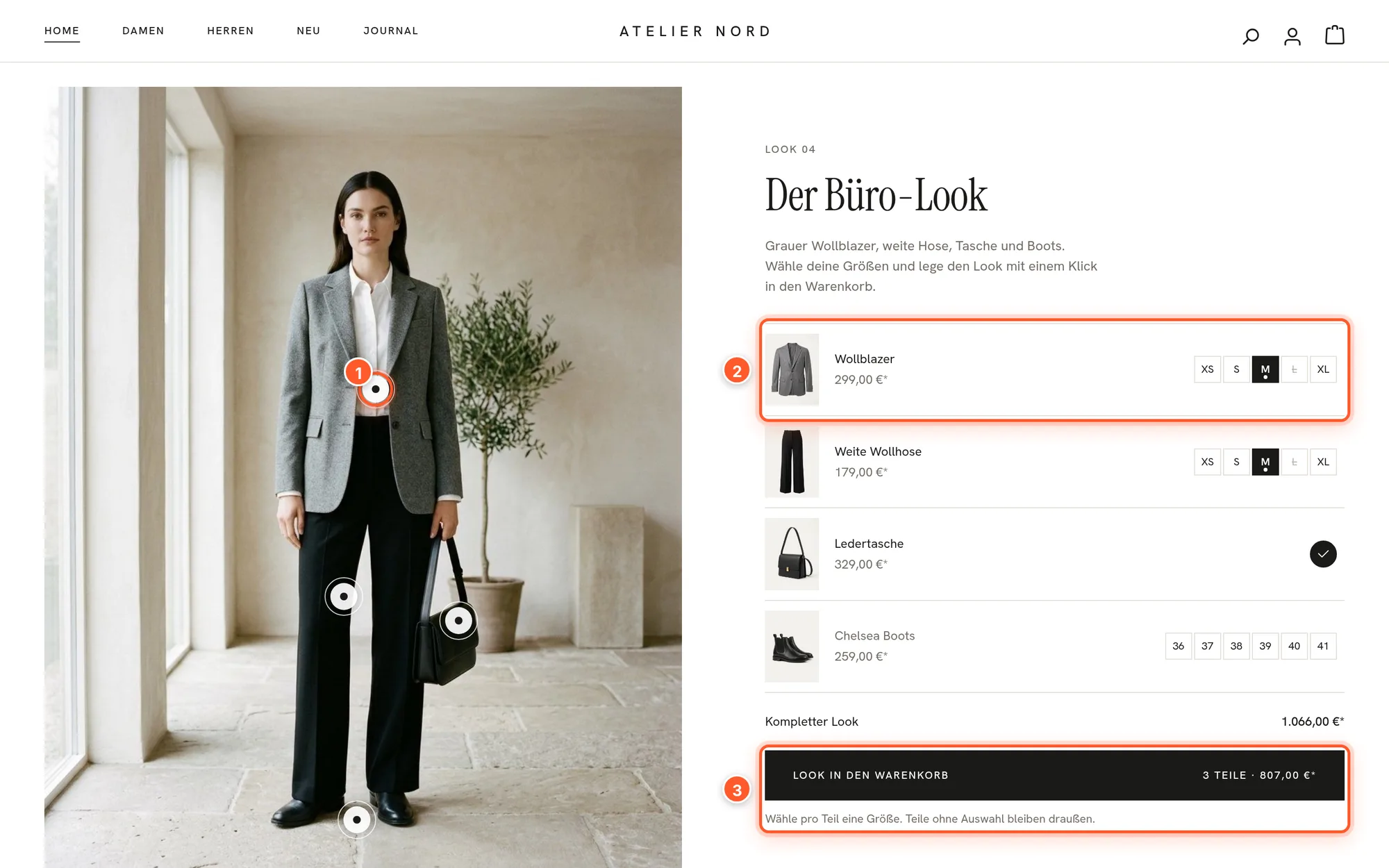
- Lookbook with hotspots and “Buy the look”: every piece in the cart with one click
- Nine custom Shopping Experience elements: lookbook, hero, countdown, category tiles, shop the feed and more
- Setup page with checklist, “Atelier Nord” demo shop, style presets with preview and assistant
- 197 theme settings – every feature can be switched off
- Fonts and icons ship with the theme – no external font service
Features
Why FASHION ONE?
Customers find their size
Remembered size across all pages, fit scale, model note, size guide and “Only 2 left in size M” – from the product data you already have.
Fewer clicks to checkout
Quick buy with sizes in the card, color dots, “Goes well with” next to the buy button and a cart drawer with progress towards free shipping.
Your own content without code
Nine Shopping Experience elements with settings in the Administration – from the lookbook and the hero slider to the countdown for your next drop.
Set up in minutes
Demo shop in one click, six style presets with a before-and-after comparison and an assistant that suggests colors from your logo – with a contrast check.
Insights
A first look
Description
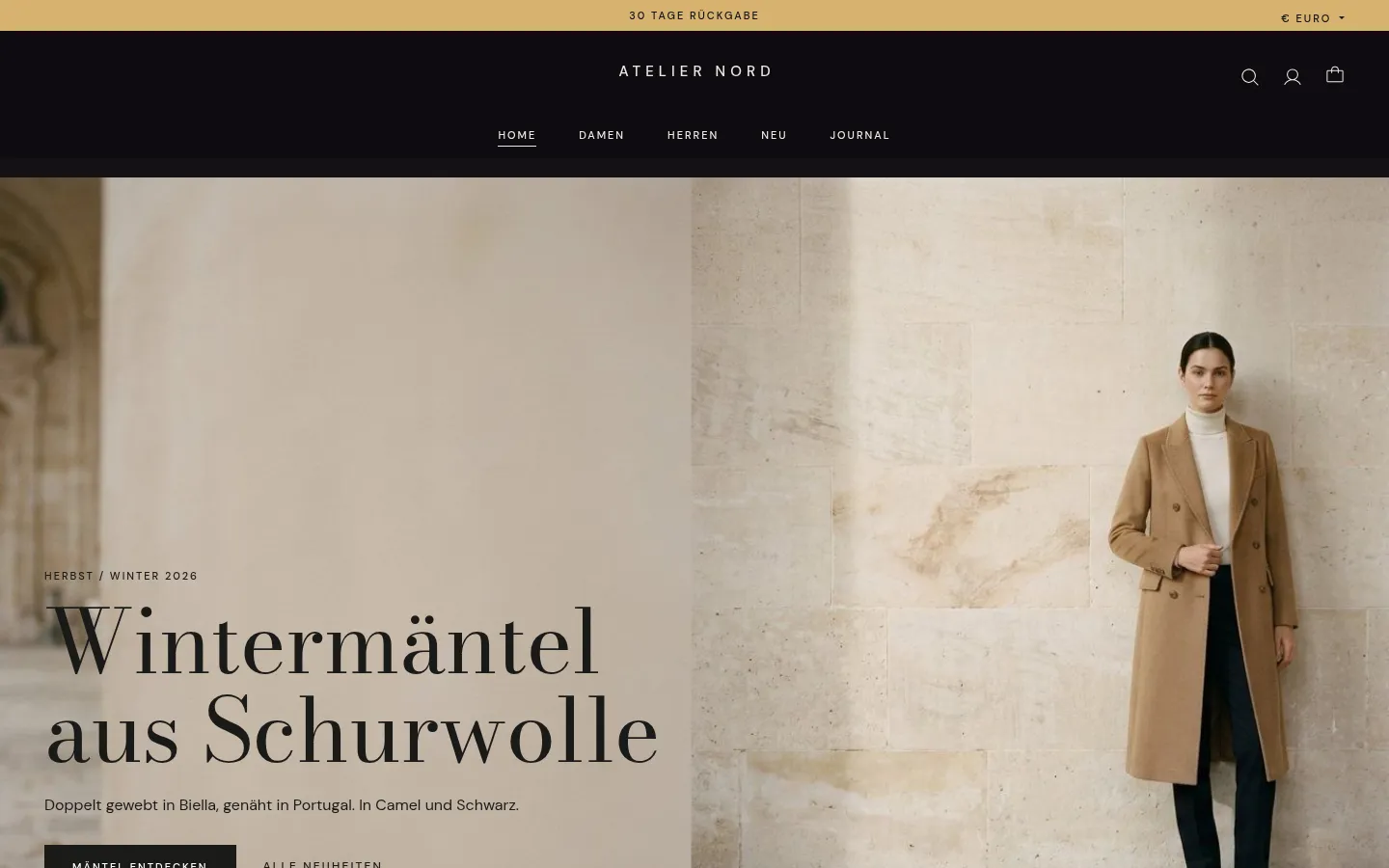
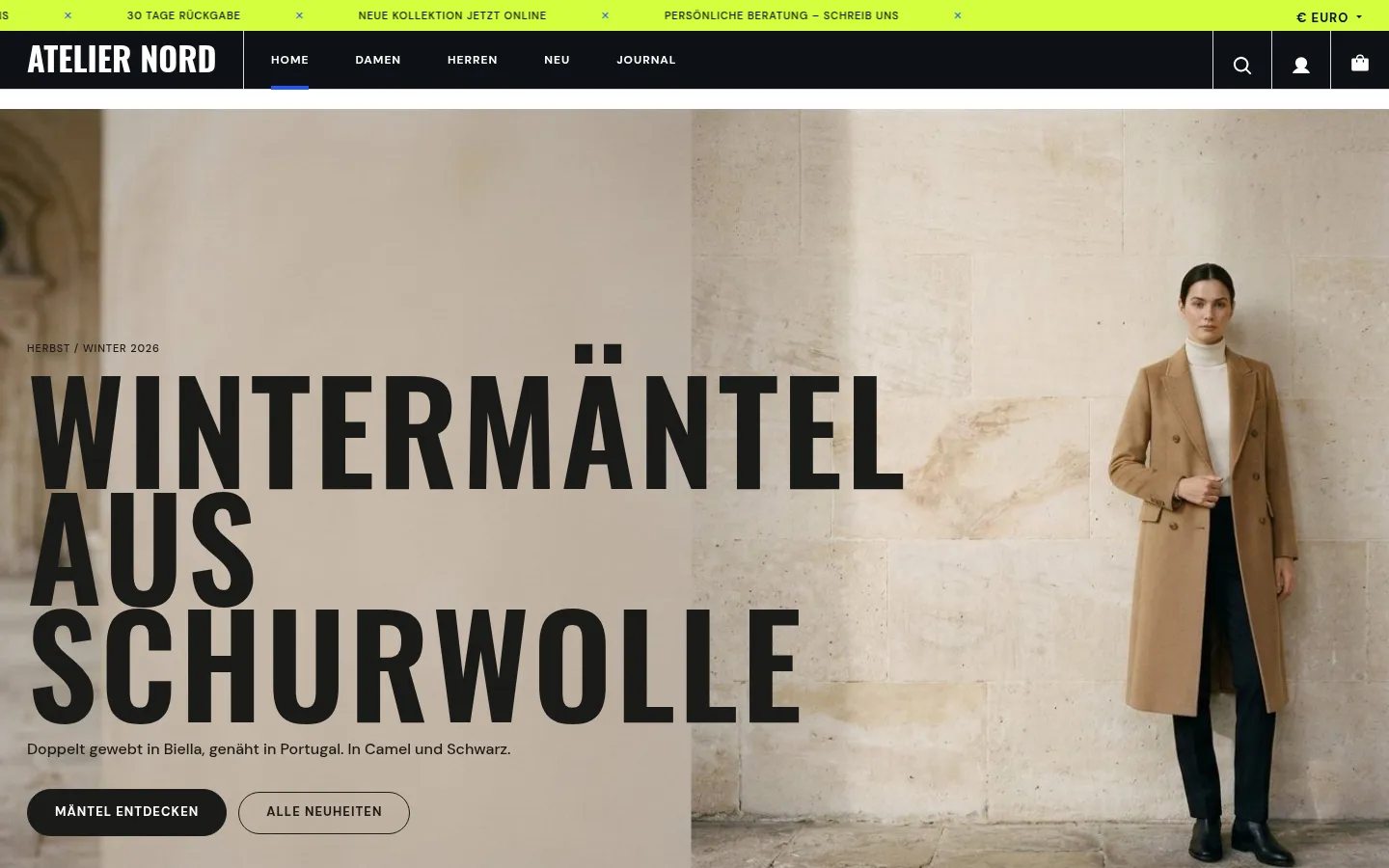
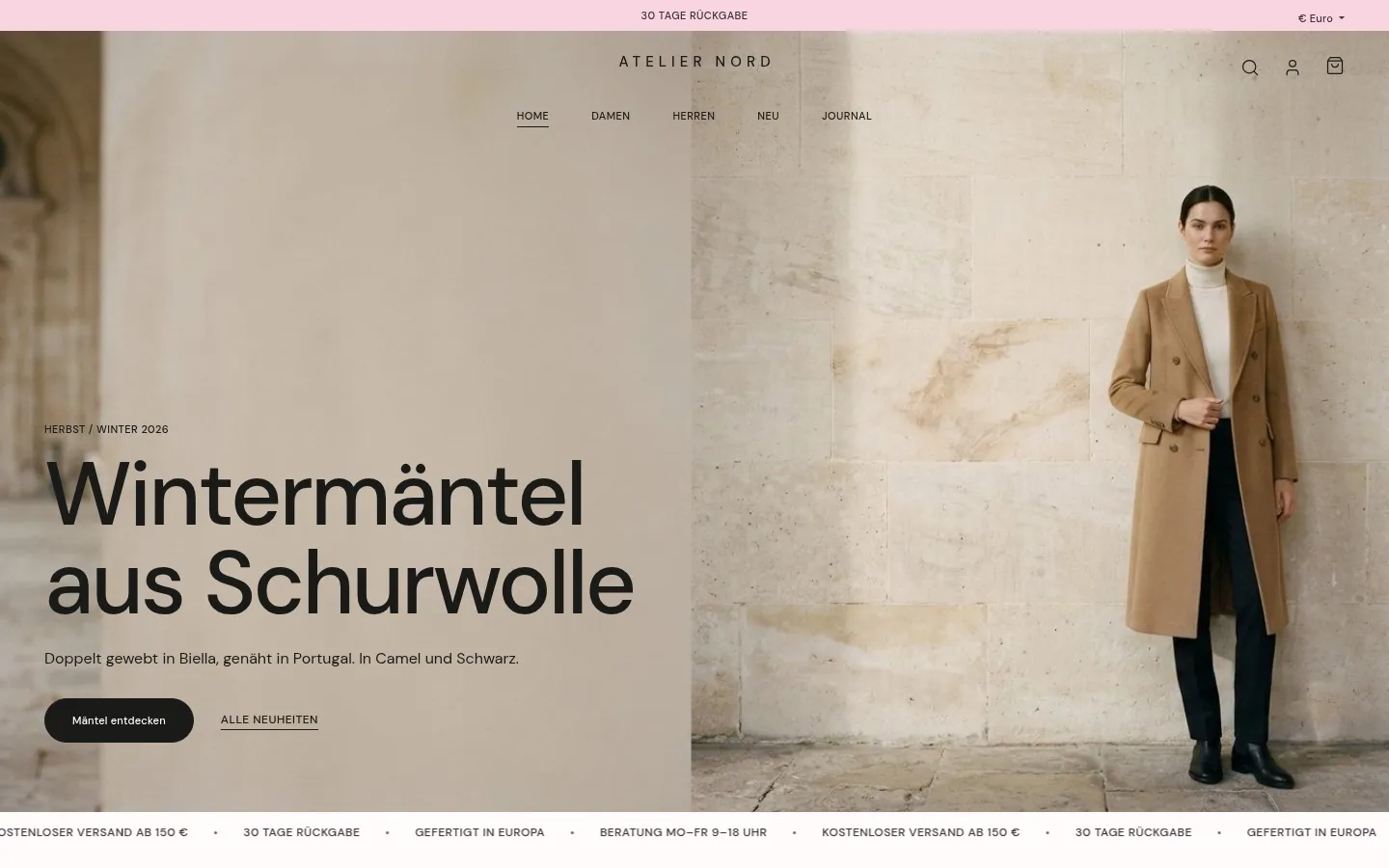
FASHION ONE is a theme for fashion and apparel shops on Shopware 6.7. The fashion features read the product data you already have – variants, properties, images, stock and cross-selling. You only need extra fields for details Shopware doesn’t know about, such as the fit.
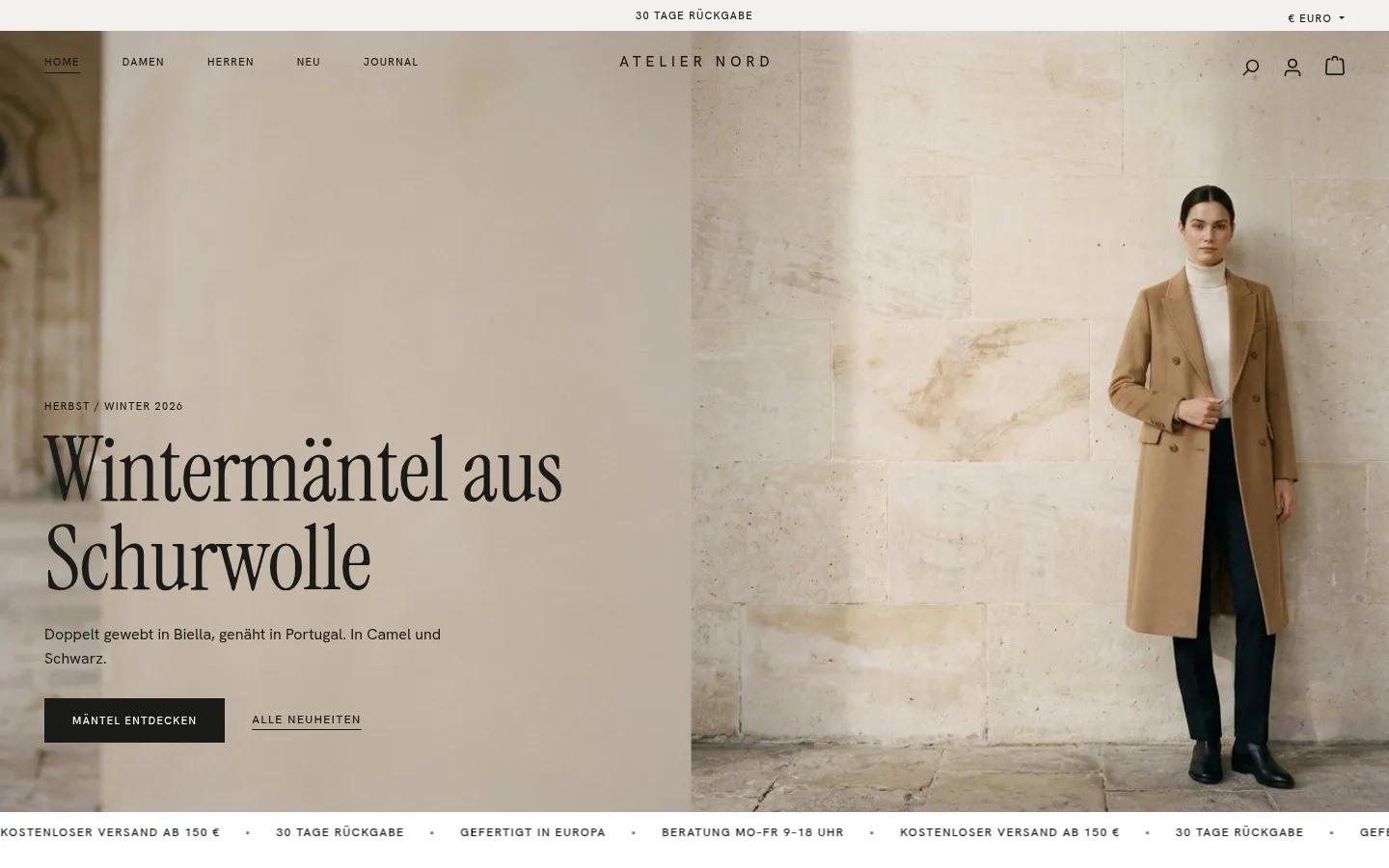
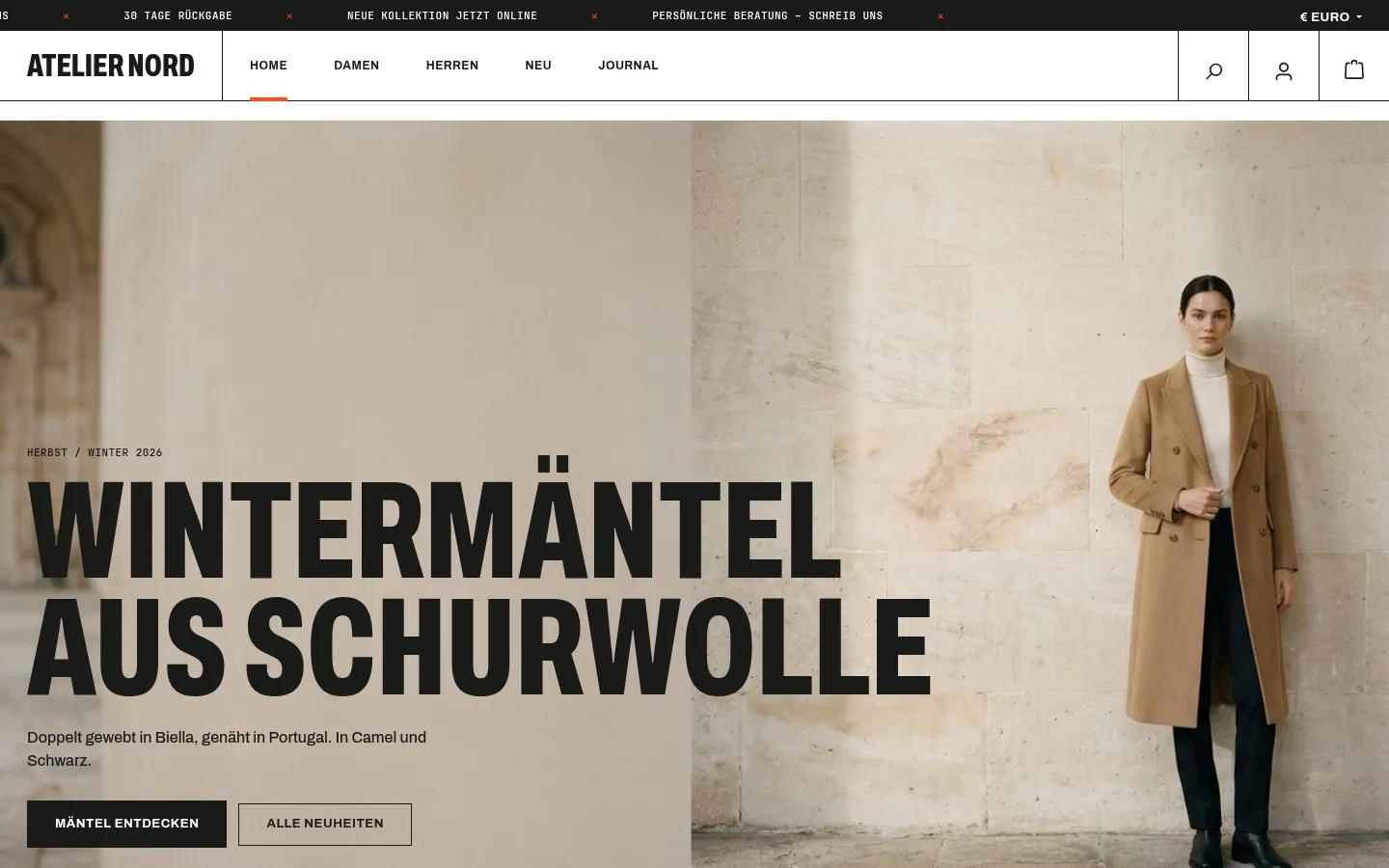
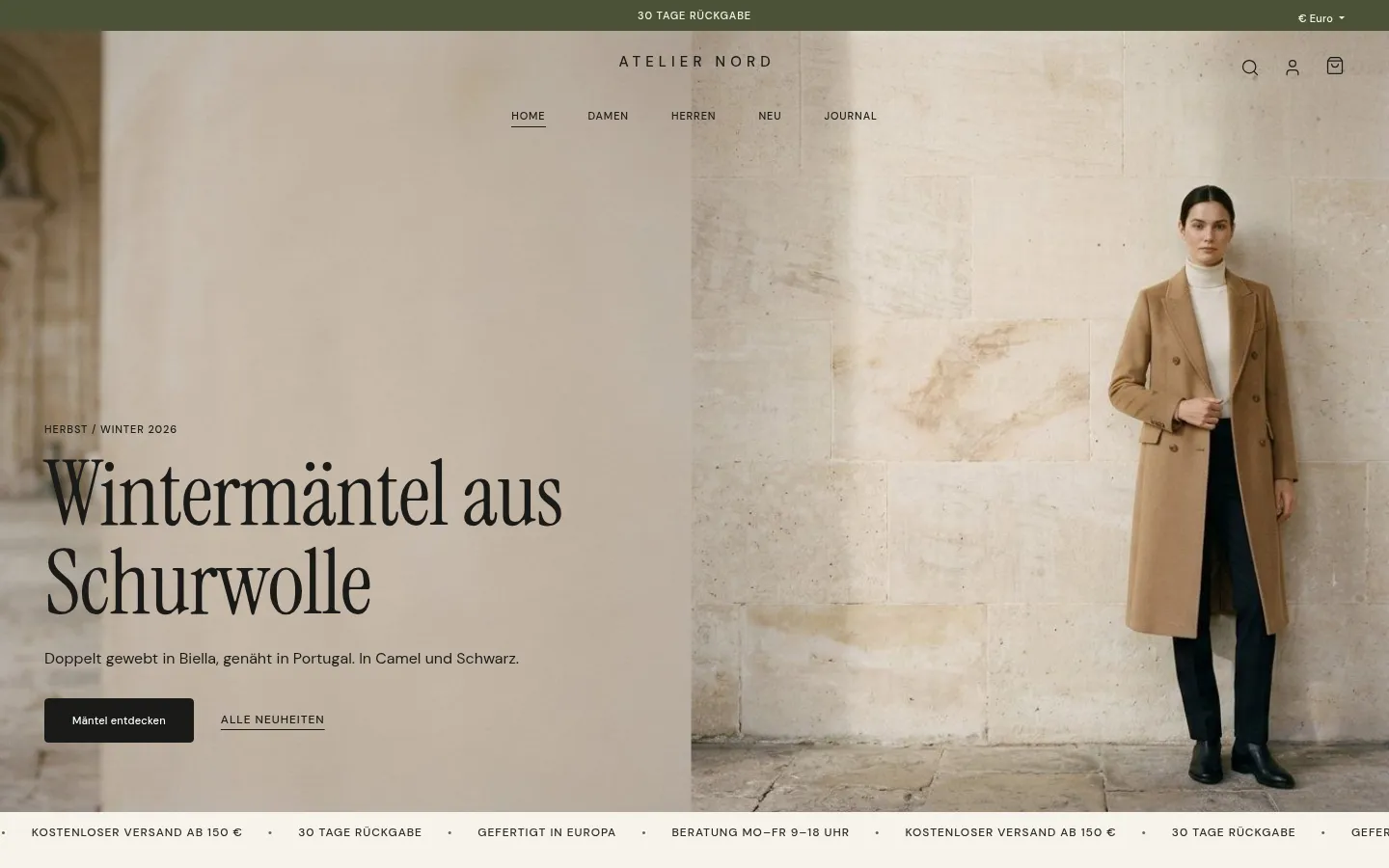
Six style presets, two design styles
Style A – Calm relies on serif headlines and lots of white space, style B – Bold on condensed capitals and hard lines. Six style presets build on these: Atelier, Statement, Linen, Soirée, Sprint and Bonbon. Before applying one, you see every setting that changes, with its old and new value – and one click undoes the last change.
The demo shop shows all six live: the same “Atelier Nord” shop, with each style preset as its own sales channel.
Customers find their size faster
- Remembered size: Once chosen, cards, looks and the product page mark the size with “your size” – stored only in the browser and only with consent.
- Fit scale and model note right below the size selection.
- Size guide as a link next to the sizes, for example to a size chart.
- “Only 2 left in size M” when the selected variant is low in stock.
Fewer clicks to the cart
Quick buy with sizes in the product card, color dots from the color variants, a lookbook with “Buy the look”, “Goes well with” next to the buy button and a cart drawer with a progress bar towards free shipping. On phones, there’s a navigation bar at the bottom and a sticky buy bar.
Your own content without coding
Nine elements for Shopping Experiences: lookbook, hero (image, split, slider, video), countdown / drop banner, category tiles, product row, shop the feed, editorial teaser, moving line, plus quotes, press logos and rating.
Setup page, demo shop and assistant
Under Settings › Extensions, the setup page shows a checklist for each sales channel. One click creates the “Atelier Nord” demo shop – 12 products with sizes and colors, categories and four ready-made pages to use as templates. In four steps, the assistant suggests colors from your logo, checks the contrast and fills in shipping, size guide and contact.
FASHION ONE is coming soon to the Shopware Store and requires Shopware 6.7.
Live-Demo
Try FASHION ONE yourself
The theme is installed and set up in our demo shop – no installation of your own needed.
FASHION ONE – coming soon to the Shopware Store
We are putting on the finishing touches. Drop us a line – we will let you know as soon as the theme is available in the store.