
Documentation
Friendly Customer Greeting
Version 3.0.0 · updated November 18, 2026
Overview
Friendly Customer Greeting addresses your customers by name, matching the time of day: “Good morning, Lena 🌅” in the morning, “Hello night owl 🌙” late at night. The plugin also recognizes special occasions and customer groups. It congratulates on birthdays, greets on holidays, welcomes new customers, greets returning customers with “Nice to see you again” and VIP customers with their own text.
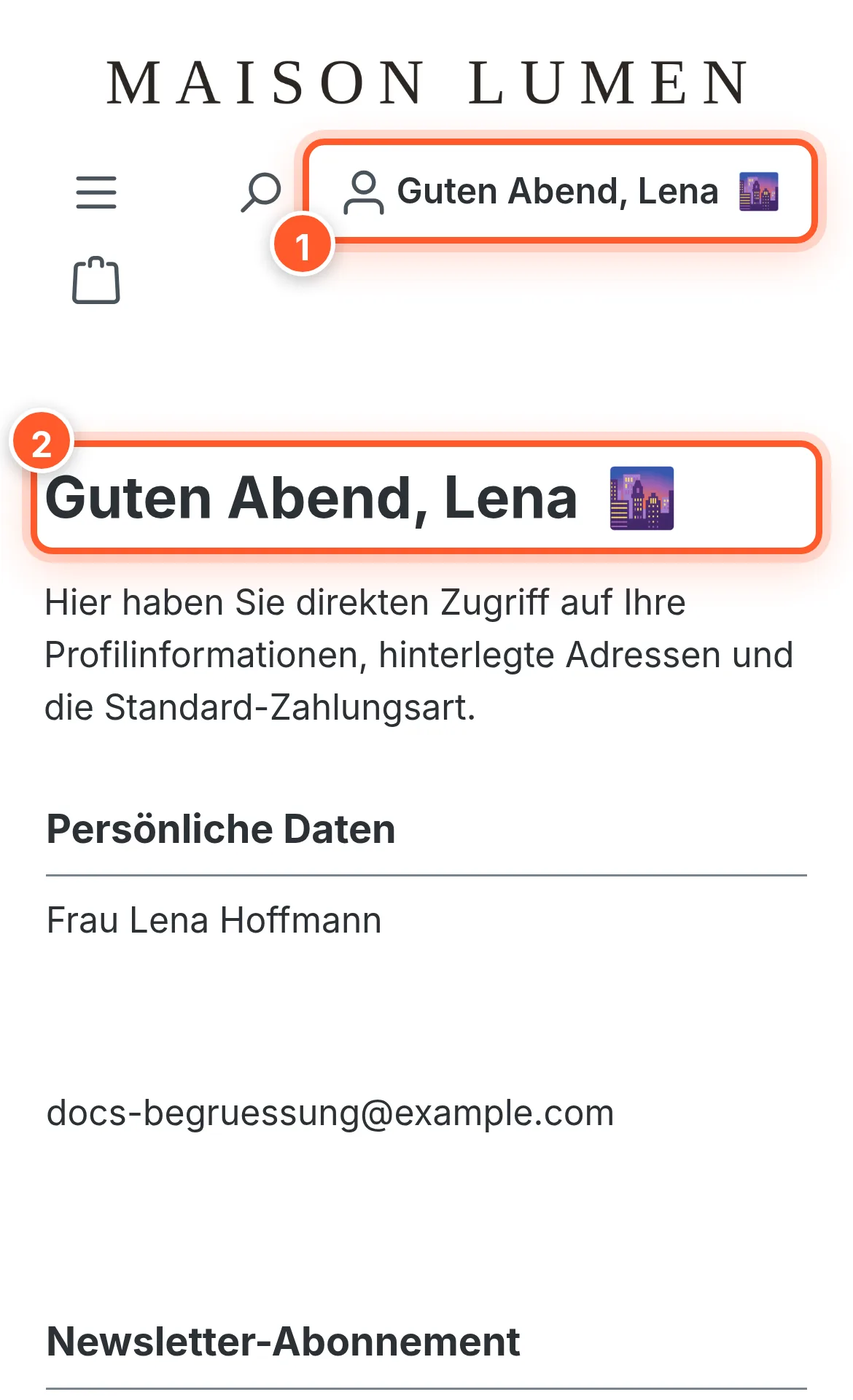
The greeting can appear in four places: in the header’s account button, in the account overview, on the checkout confirmation page and on the thank-you page. Guests who aren’t logged in see a greeting without a name.
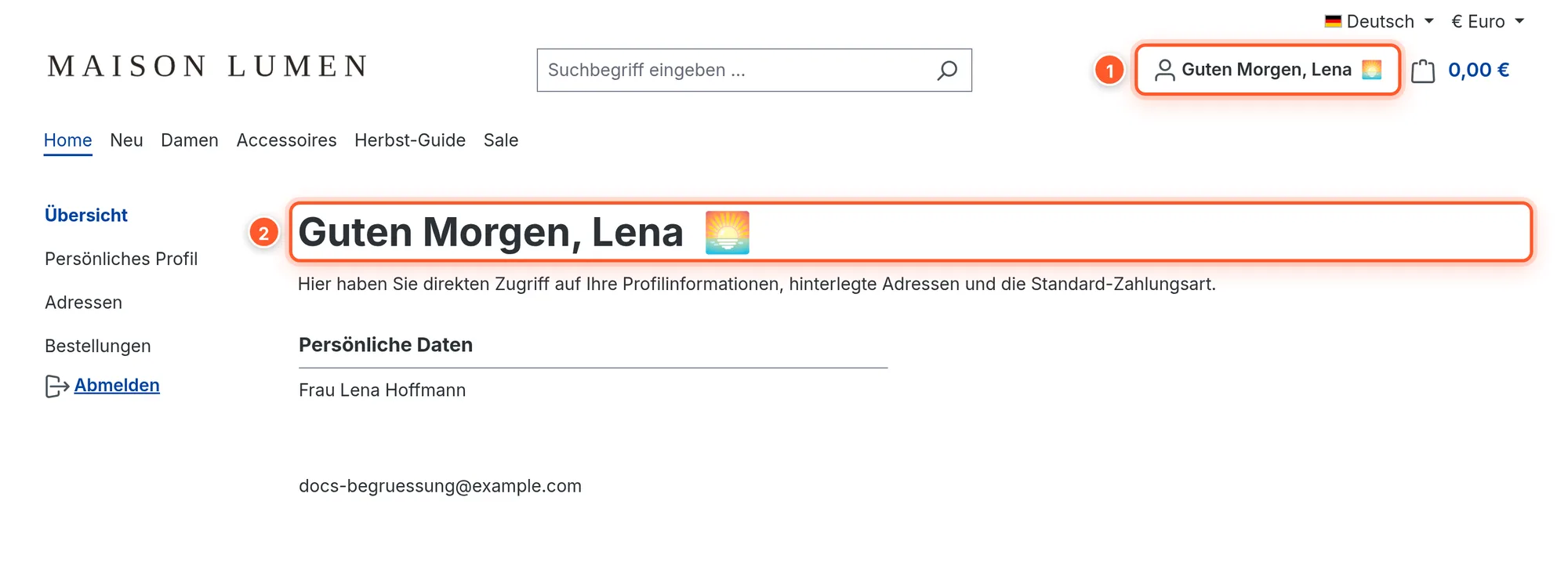
Texts are available in nine languages: German, English, French, Spanish, Portuguese, Italian, Dutch, Polish and Russian. The plugin requires Shopware 6.7.
Setup
- Install and activate the plugin under Extensions › My extensions.
- Open the configuration: Extensions › My extensions › Personal customer greeting › ⋯ › Configure.
- In the Display settings card, set where the greeting should appear. Out of the box it’s active in the account overview and in the checkout, but off in the header. For most shops it’s worth switching on 1 Display greeting in the header, because every customer sees it there on every page.
- Save, done. All other features (night greeting, birthday, holidays, new customers, returning customers) are already active.
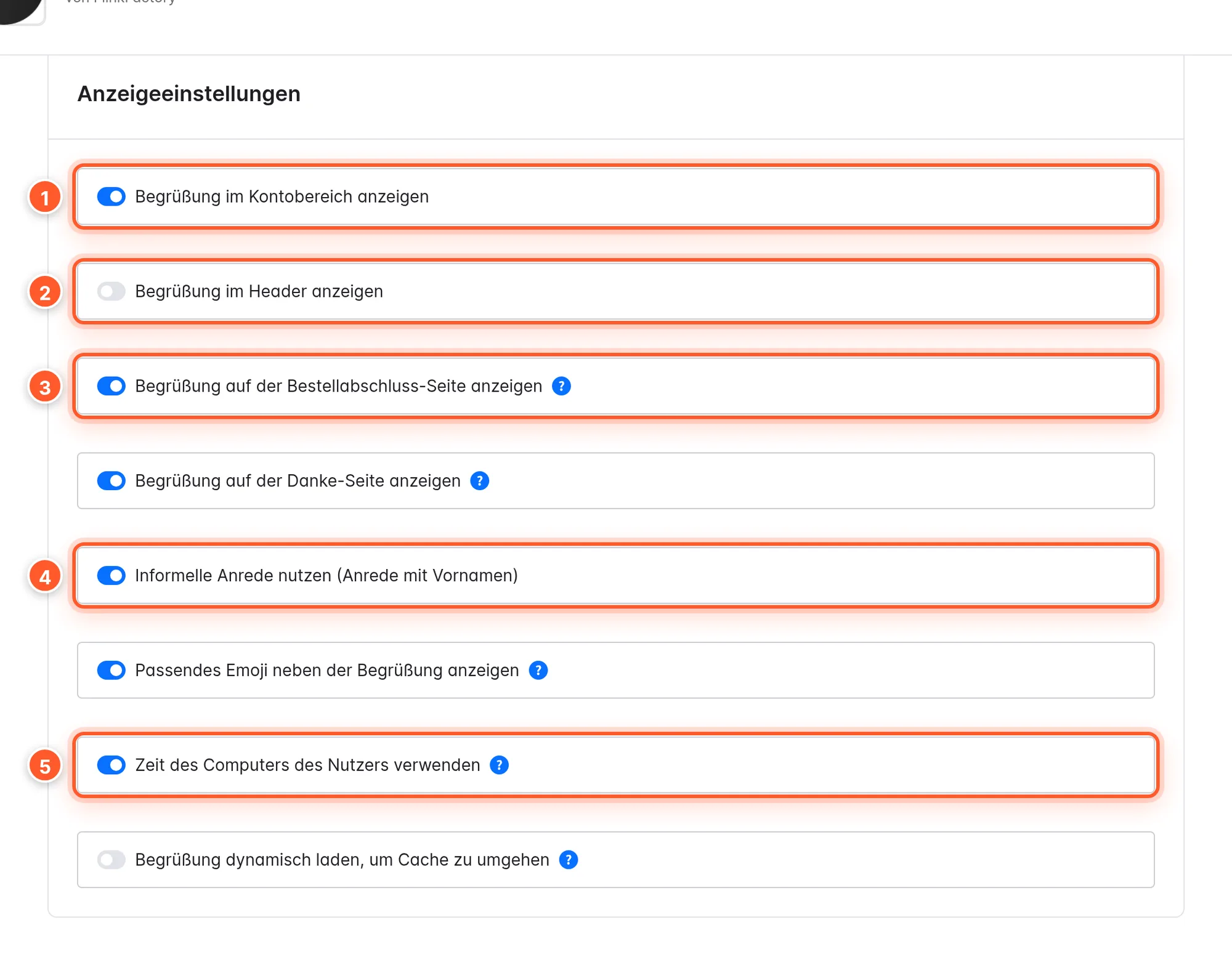
Tip: As with any plugin configuration, pick a sales channel at the top and configure each channel differently, e.g. informal in the consumer shop and formal in the B2B shop.
Times of day
The greeting changes with the time. Out of the box, these time slots apply:
| Time slot | Starts at | Greeting | Emoji |
|---|---|---|---|
| Morning | 5 am | Good morning | 🌅 |
| Afternoon | 12 pm | Good afternoon | ☀️ |
| Evening | 6 pm | Good evening | 🌆 |
| Night | 10 pm | Hello night owl | 🌙 |
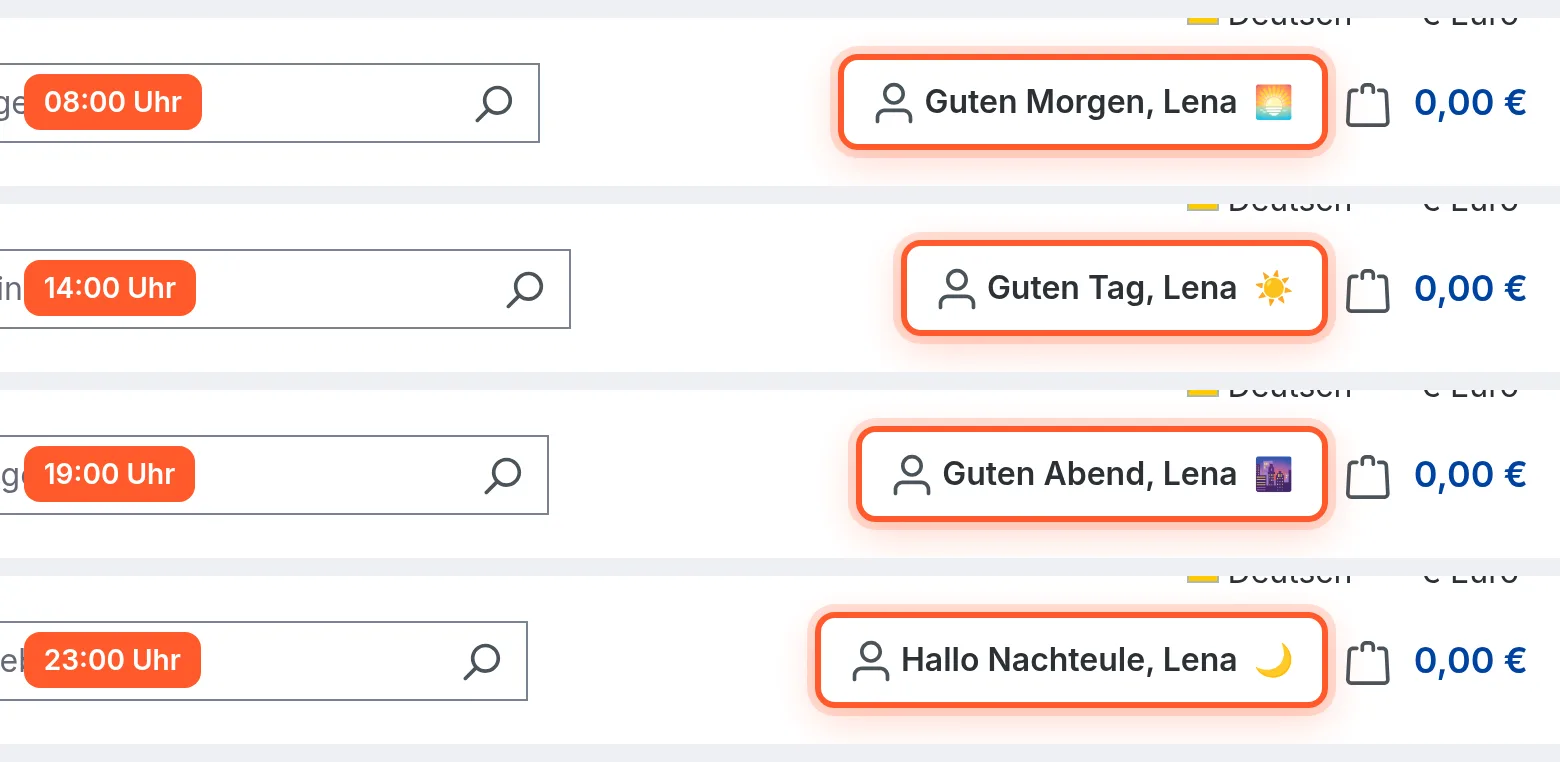
If the night greeting for night owls is switched off, the evening greeting applies until morning.
Which time counts?
With Use the user’s computer time (on by default), the greeting follows the clock in the customer’s browser. So a customer in New York still gets “Good evening” even if it’s already past midnight on your server. The time is only evaluated in the browser, never stored or sent to the server. If the option is off, the server time counts.
Form of address and emoji
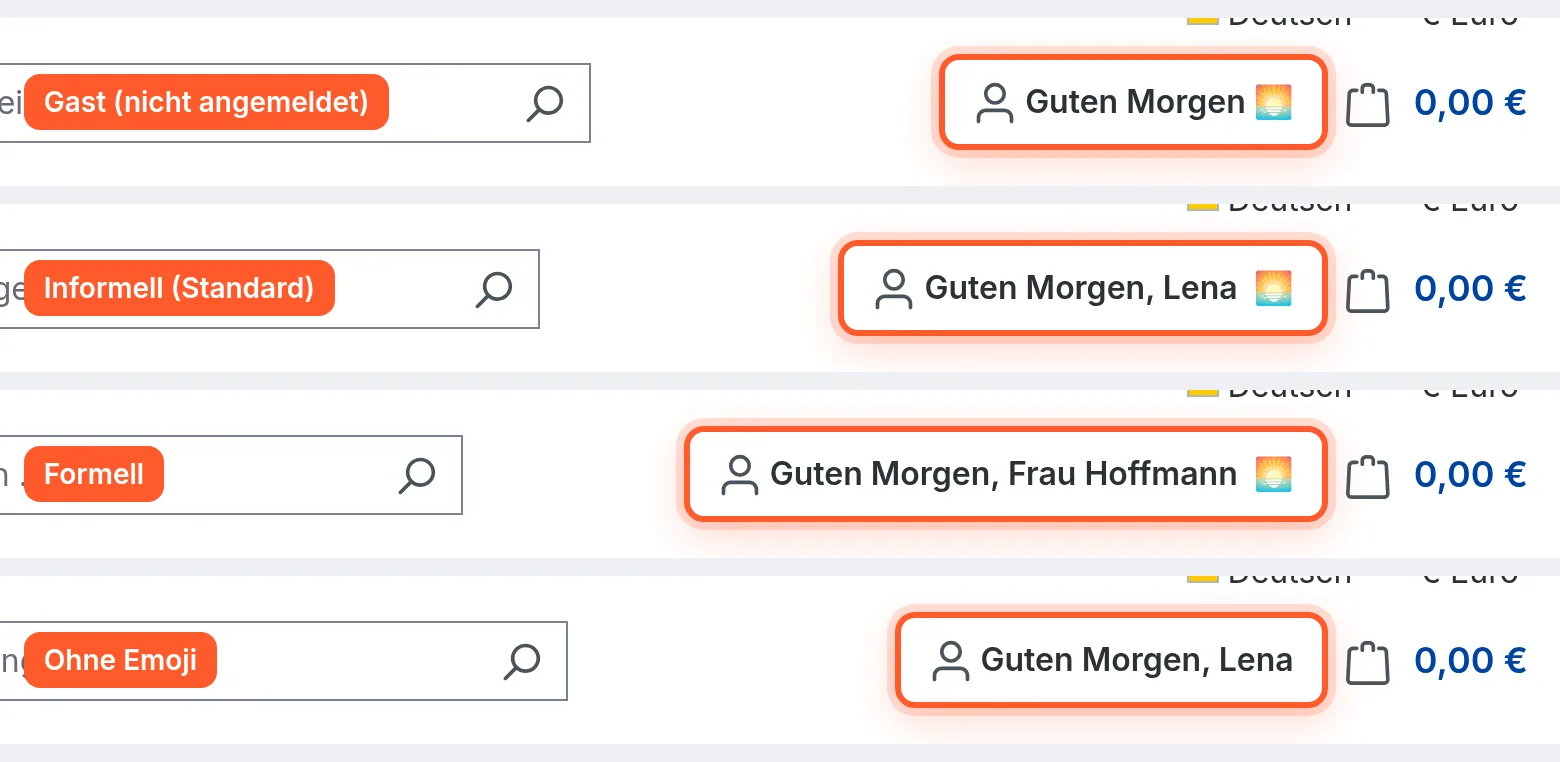
- Use informal greetings (addressing by first name) (on by default): “Good morning, Lena”. Switched off: “Good morning, Ms. Hoffmann”.
- Show a matching emoji next to the greeting (on by default): switch it off if your shop should do without emojis entirely.
- Guests see the time-of-day or holiday greeting without a name.
Custom texts
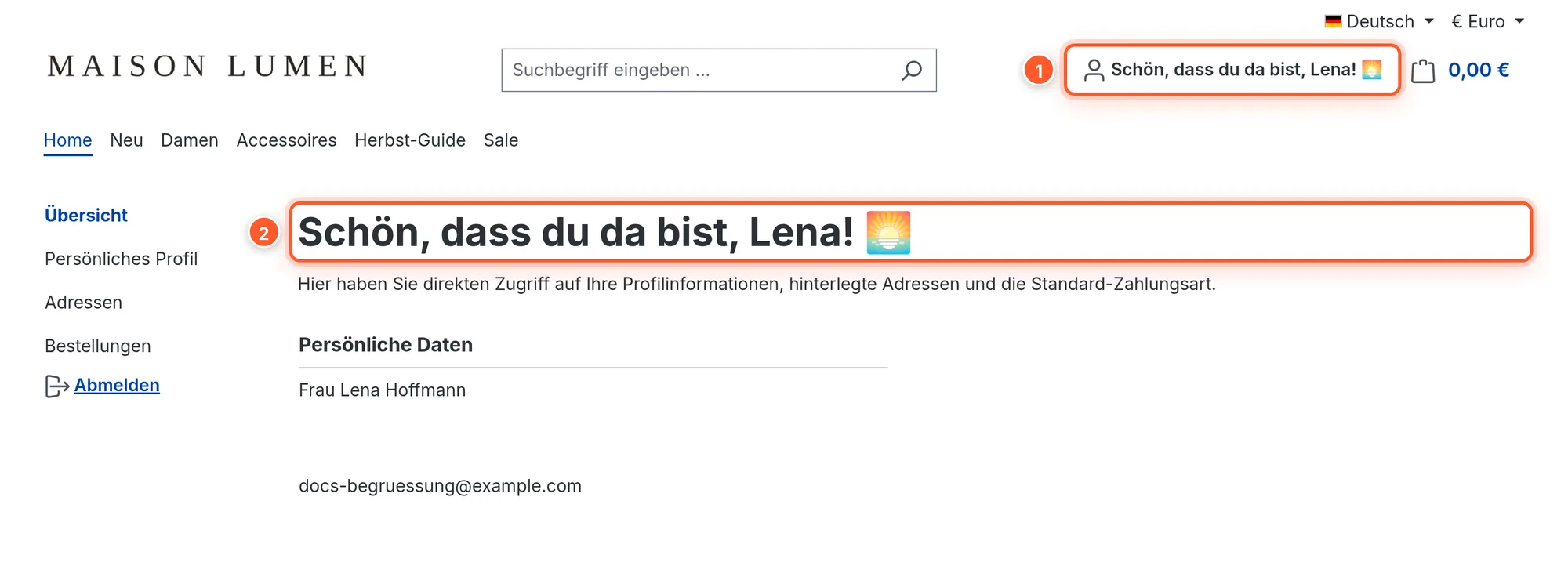
Every greeting can be replaced. In the Time slots & custom texts card you set the start time of each time slot and enter your own texts if needed.
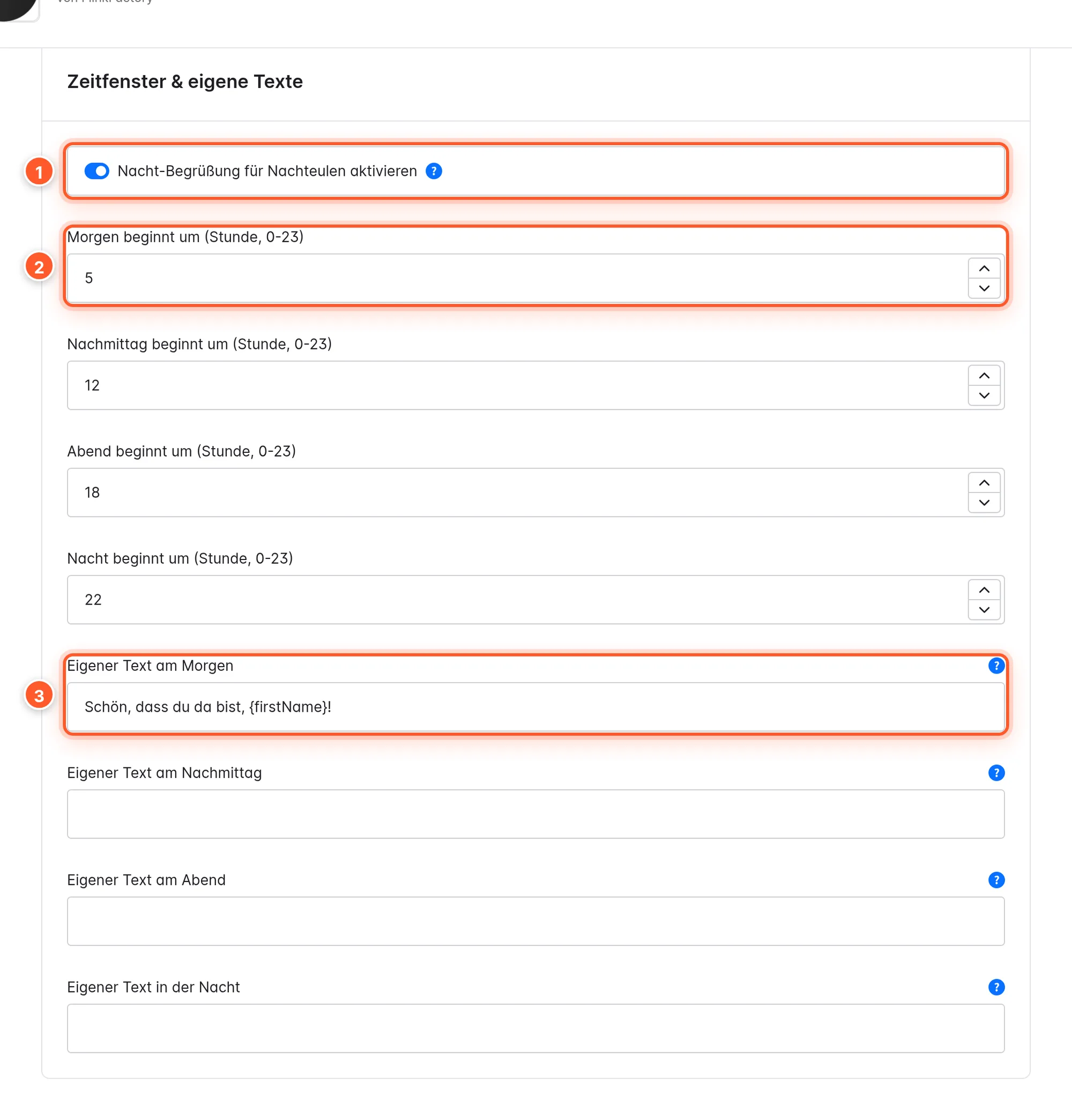
These placeholders are available in all text fields:
| Placeholder | Result |
|---|---|
{firstName} | First name, e.g. “Lena” |
{lastName} | Last name, e.g. “Hoffmann” |
{fullName} | First and last name |
{salutation} | Salutation, e.g. “Ms.” |
If your text contains a placeholder, the plugin doesn’t append the name as well. Without a placeholder, it adds the name after a comma as usual. Empty fields mean: default text.
Special occasions and customer recognition
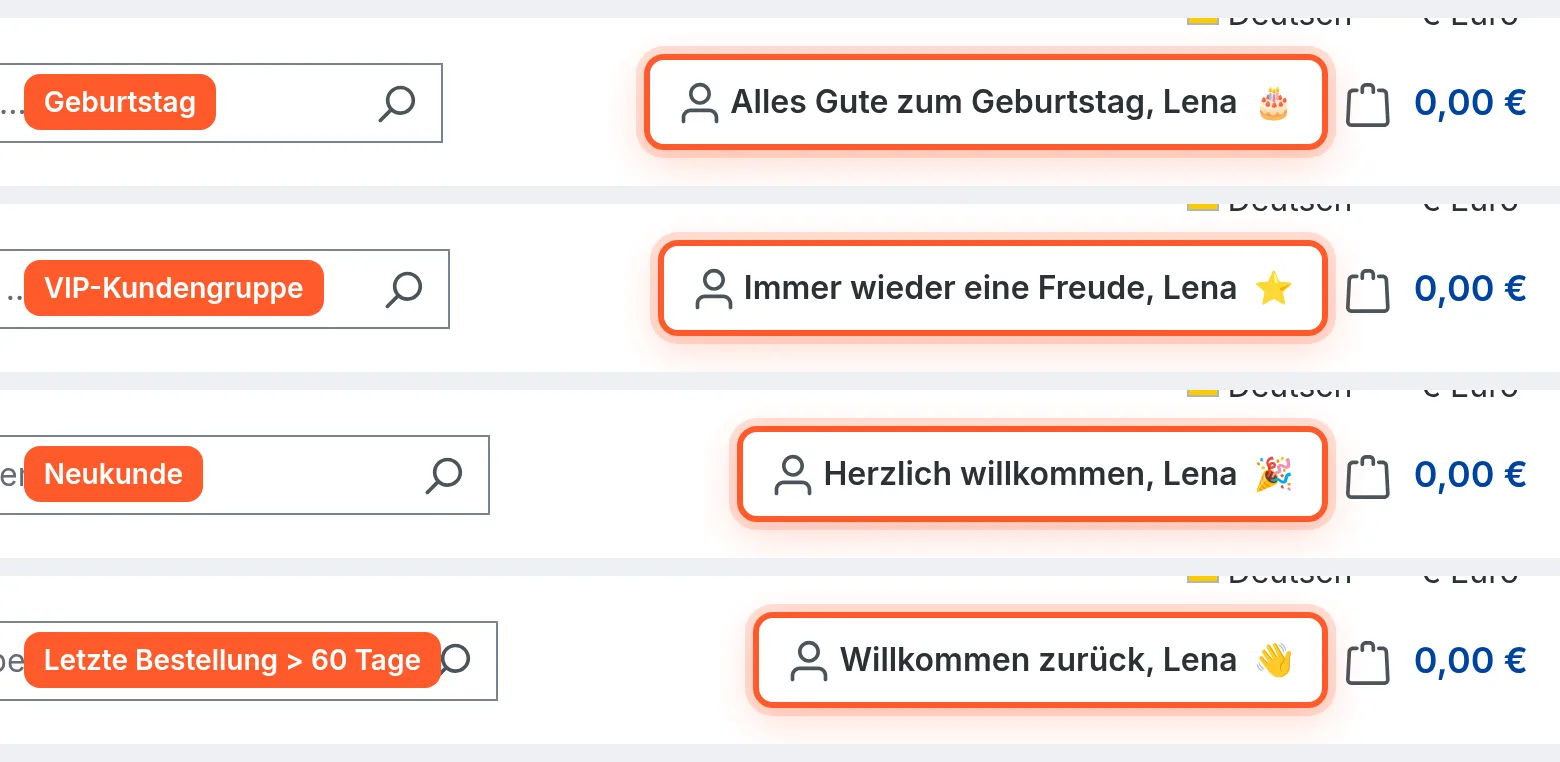
Besides the time of day, the plugin knows five special greetings. If more than one applies, this order wins:
Birthday › Holiday › VIP › New customer › Returning customer › Time of day
Birthday and holidays
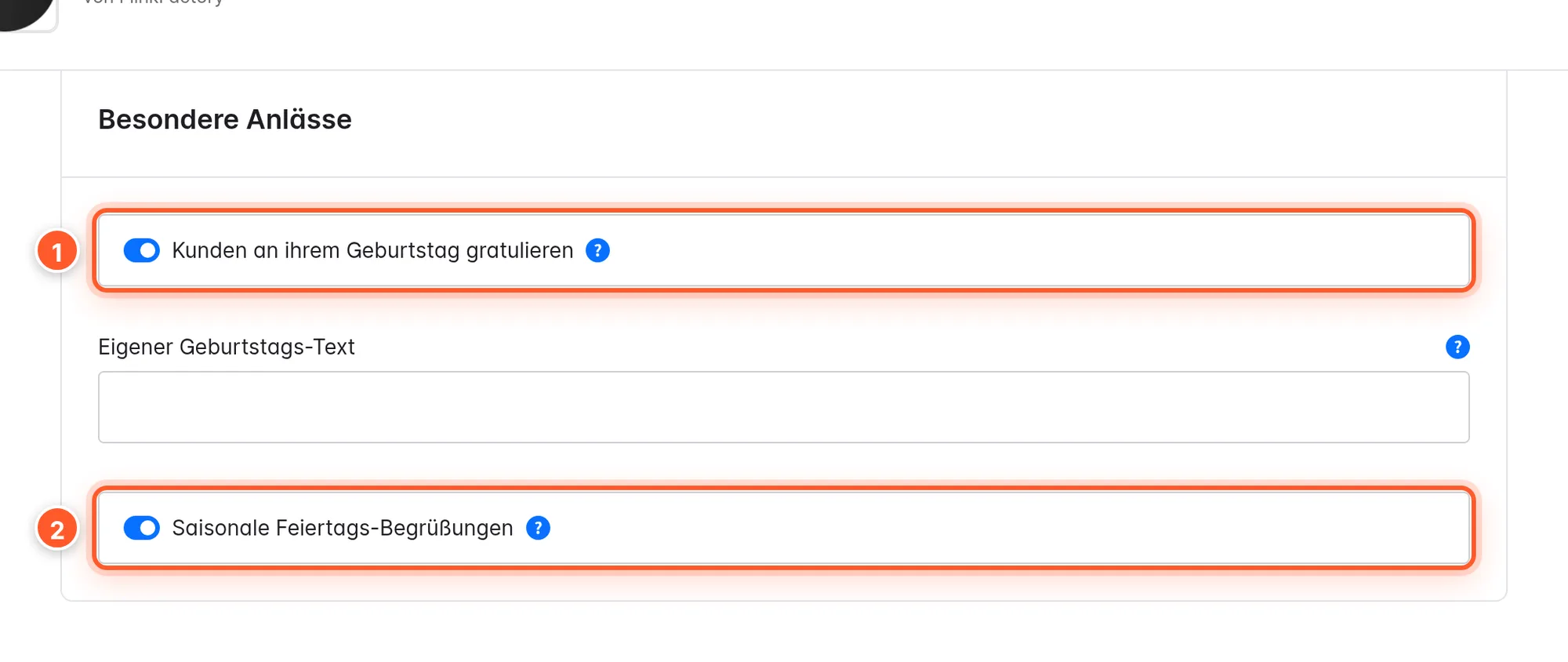
- Greet customers on their birthday 1: uses the date of birth from the customer account (“Happy birthday, Lena 🎂”). Customers without a stored date of birth get the normal greeting. Tip: enable the date of birth field under Settings › Log-in & sign-up so as many customers as possible provide it.
- Seasonal holiday greetings 2: Christmas (Dec 24–26) 🎄, New Year’s Eve, New Year’s Day, Easter Sunday and Monday, Valentine’s Day and Halloween. This also applies to guests.
New customers, returning customers and VIPs
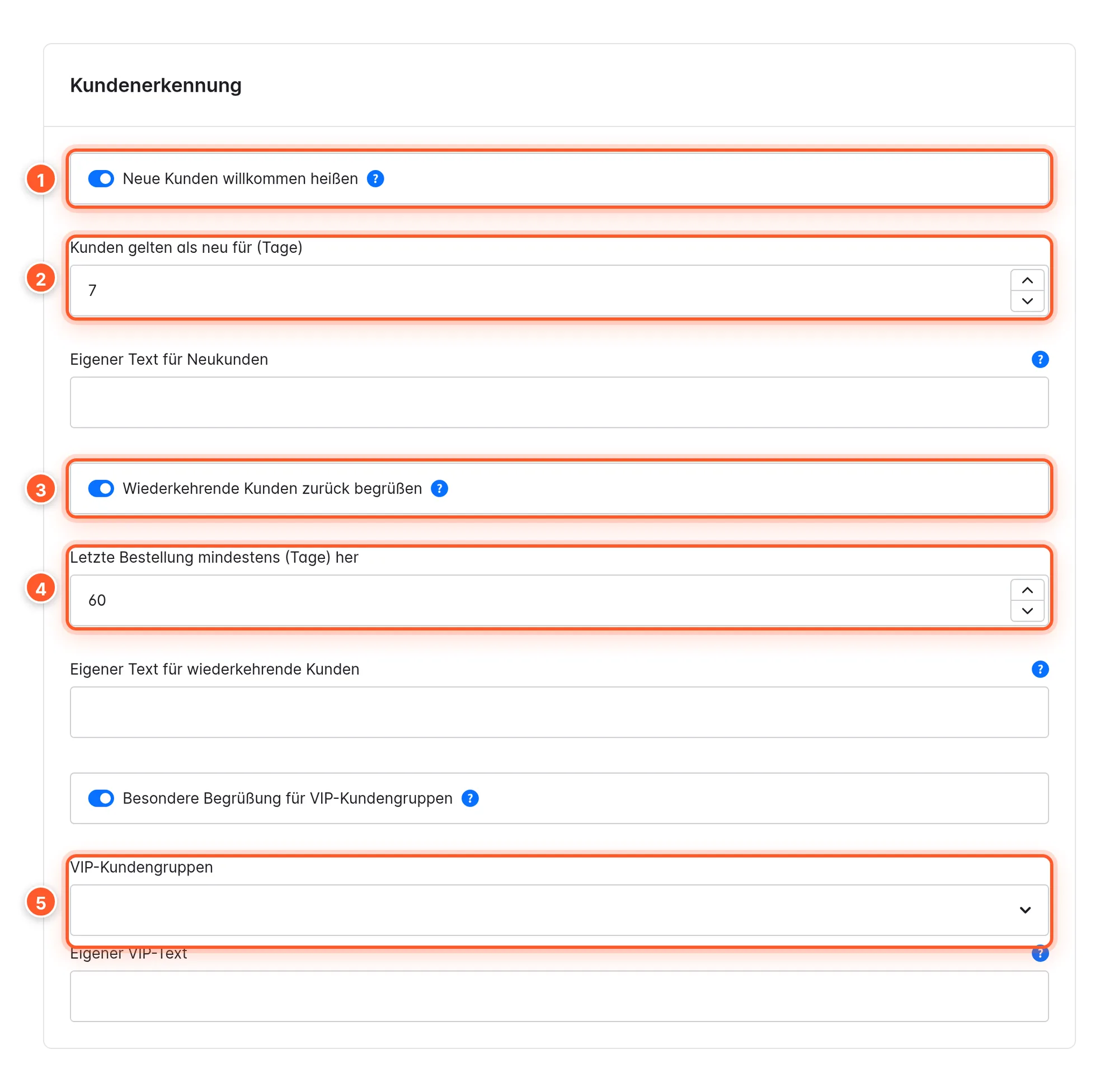
- Welcome new customers 1: “Welcome aboard, Lena 🎉” for everyone who registered in the last 7 days 2.
- Welcome back returning customers 3: “Nice to see you again, Lena 👋” if the last order was at least 60 days 4 ago. Ideal for winning regulars back after a break.
- Special greeting for VIP customer groups 5 (off by default): choose one or more customer groups. Their members are greeted with “Always a pleasure, Lena ⭐”.
Birthday, new customers, returning customers and VIPs each have their own text field with the same placeholders as above.
Greeting in the checkout
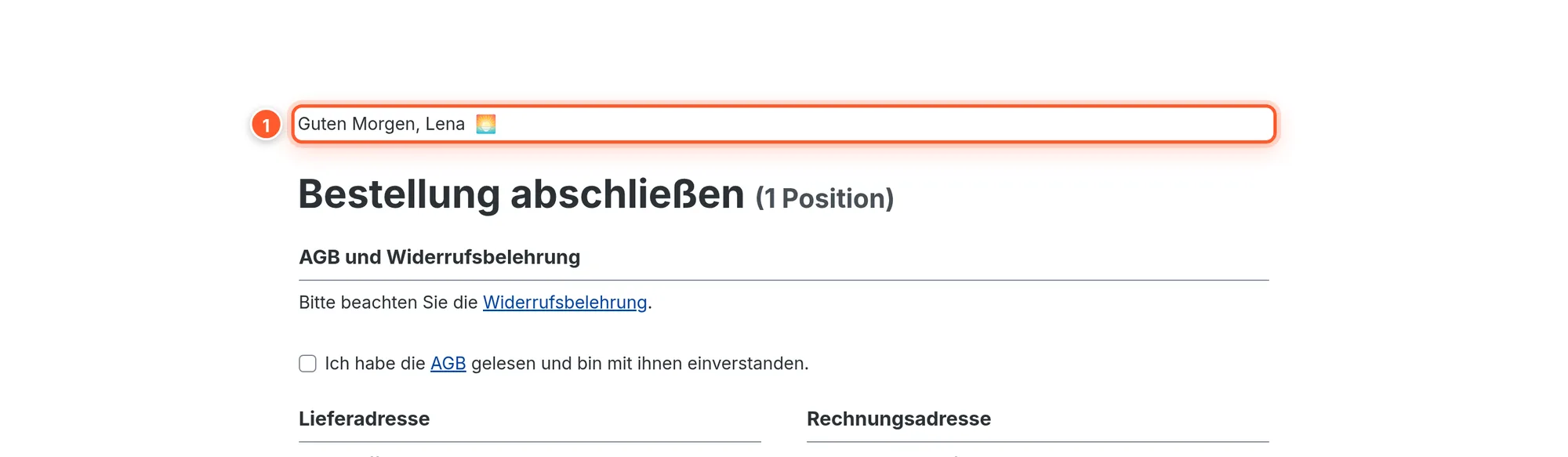
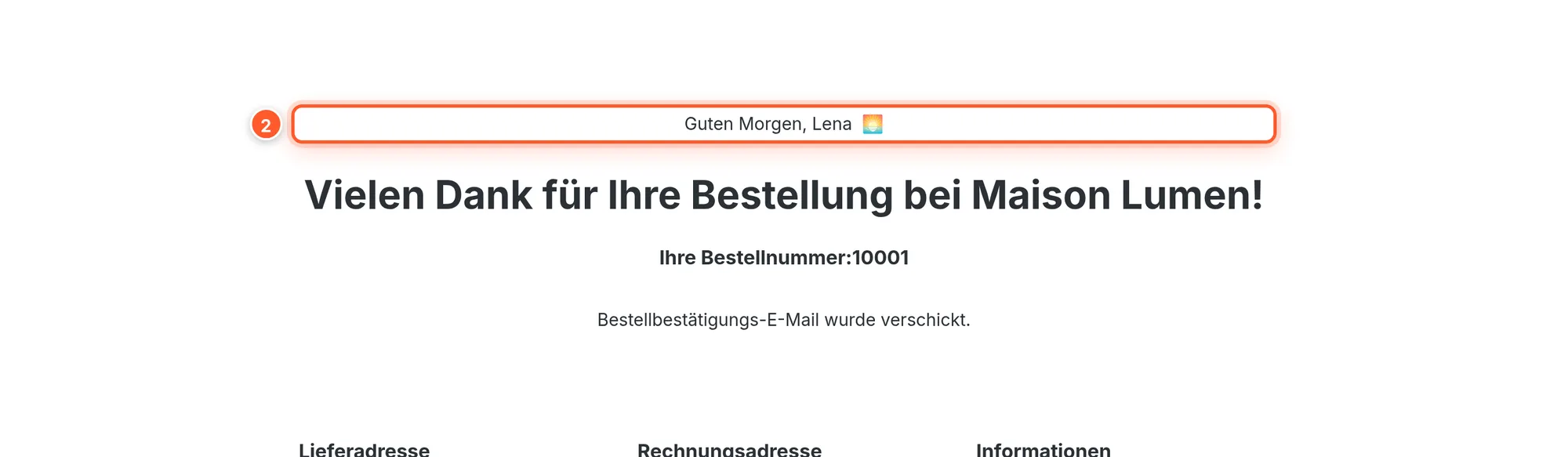
On the checkout confirmation page, the greeting sits above the heading; on the thank-you page, above the order confirmation. Both are active by default and can be switched off separately in the Display settings.
Mobile
On smartphones too, the greeting sits in the header’s account button (if enabled), as well as in the account area and the checkout.
Settings
Display settings
| Setting | Effect | Default |
|---|---|---|
| Display greeting in account area | Greeting as the heading of the account overview; the default header of the account sidebar is hidden for this. | on |
| Display greeting in the header | Greeting in the header’s login or account button. | off |
| Display greeting on the order confirmation page | Greeting above the checkout heading. | on |
| Display greeting on the thank-you page | Greeting above the order confirmation. | on |
| Use informal greetings (addressing by first name) | First name instead of salutation + last name. | on |
| Show a matching emoji next to the greeting | Emoji per time of day and occasion. | on |
| Use the user’s computer time | Browser time instead of server time. | on |
| Load greeting dynamically to bypass cache | Loads the greeting after the page has been built so it’s correct even with HTTP cache. | off |
Time slots & custom texts
| Setting | Default |
|---|---|
| Enable night greeting for night owls | on |
| Morning starts at (hour, 0-23) | 5 |
| Afternoon starts at (hour, 0-23) | 12 |
| Evening starts at (hour, 0-23) | 18 |
| Night starts at (hour, 0-23) | 22 |
| Custom morning / afternoon / evening / night greeting | empty (default text) |
Special occasions
| Setting | Default |
|---|---|
| Greet customers on their birthday | on |
| Custom birthday greeting | empty |
| Seasonal holiday greetings | on |
Customer recognition
| Setting | Default |
|---|---|
| Welcome new customers | on |
| Treat customers as new for (days) | 7 |
| Custom new-customer greeting | empty |
| Welcome back returning customers | on |
| Last order at least (days) ago | 60 |
| Custom welcome-back greeting | empty |
| Special greeting for VIP customer groups | off |
| VIP customer groups | none |
| Custom VIP greeting | empty |
Snippets
All default texts are snippets (Settings › Snippets, search for flink.friendly_greeting). That’s how you change them per language. A custom text from the plugin configuration takes precedence over the snippet.
| Key | English |
|---|---|
flink.friendly_greeting.good_morning | Good morning |
flink.friendly_greeting.good_day | Good afternoon |
flink.friendly_greeting.good_evening | Good evening |
flink.friendly_greeting.good_night | Hello night owl |
flink.friendly_greeting.birthday | Happy birthday |
flink.friendly_greeting.christmas | Merry Christmas |
flink.friendly_greeting.new_years_eve | Happy New Year’s Eve |
flink.friendly_greeting.new_year | Happy New Year |
flink.friendly_greeting.easter | Happy Easter |
flink.friendly_greeting.valentine | Happy Valentine’s Day |
flink.friendly_greeting.halloween | Happy Halloween |
flink.friendly_greeting.new_customer | Welcome aboard |
flink.friendly_greeting.welcome_back | Nice to see you again |
flink.friendly_greeting.vip | Always a pleasure |
flink.friendly_greeting.comma | , |
Tips & hidden features
- Holiday texts only via snippets: There’s no configuration field for holidays. Change them via the snippets, e.g. “Merry Christmas” to “Happy holidays”.
- Remove the comma: Replace the
flink.friendly_greeting.commasnippet with a space, and you get “Good morning Lena” instead of “Good morning, Lena”. - Fit the time slots to your audience: A shop for early birds can start the morning at 4 am, a gaming shop the night at 9 pm.
- Welcome-back greeting as gentle reactivation: Set Last order at least (days) ago to your typical repurchase cycle, e.g. 90 days for fashion, and combine the custom text with a hint about new arrivals.
- VIP group for key customers: Create a “Regulars” customer group, assign loyal customers and give them an exclusive greeting with the custom VIP text.
- Style it precisely with CSS: The greeting in the checkout has the class
flink-friendly-greeting-checkout.
Frequently asked questions
I don’t see a greeting in the header.
The header greeting is off by default. Activate Display greeting in the header and then clear the cache under Settings › System › Caches & indexes.
The greeting shows the wrong time of day or another customer’s name.
This happens when an HTTP cache or reverse proxy (e.g. Varnish) caches the page including the greeting. Switch on Load greeting dynamically to bypass cache. The page still comes from the cache, and the greeting is loaded fresh afterwards.
Why doesn’t a customer get a birthday greeting?
No date of birth is stored in the customer account, or Greet customers on their birthday is off. Check the customer account under Customers › Overview.
A customer is new and VIP at the same time. Which greeting do they see?
The one with the higher priority: VIP before new customer. The full order is Birthday › Holiday › VIP › New customer › Returning customer › Time of day.
Does using the browser time transfer personal data?
No. The time is only read in the browser to pick the matching time slot. It’s neither stored nor used for tracking.
Does the plugin work in my language?
Texts are included for nine languages. For other languages, create the snippets in your snippet set or use the custom texts in the plugin configuration.